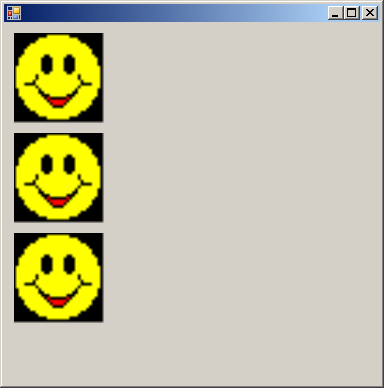
using System;
using System.Drawing;
using System.Drawing.Drawing2D;
using System.Collections;
using System.ComponentModel;
using System.Windows.Forms;
using System.Data;

public class ImageDraw : System.Windows.Forms.Form
{
  private System.ComponentModel.Container components = null;

  private Bitmap bMapImageA = new Bitmap("YourFile.bmp");
  private Bitmap bMapImageB = new Bitmap("YourFile.bmp");
  private Bitmap bMapImageC = new Bitmap("YourFile.bmp");

  private Rectangle rectA = new Rectangle(10, 10, 90, 90);
  private Rectangle rectB = new Rectangle(10, 110, 90, 90);
  private Rectangle rectC = new Rectangle(10, 210, 90, 90);

  private bool isImageClicked = false;
  private int imageClickedIndex;

  public ImageDraw()
  {
    InitializeComponent();
  }

  protected override void Dispose( bool disposing )
  {
    if( disposing )
    {
      if (components != null)
      {
        components.Dispose();
      }
    }
    base.Dispose( disposing );
  }

  private void InitializeComponent()
  {
    this.AutoScaleBaseSize = new System.Drawing.Size(5, 13);
    this.ClientSize = new System.Drawing.Size(376, 361);
    this.MouseUp += new System.Windows.Forms.MouseEventHandler(this.ImageDraw_MouseUp);
    this.Paint += new System.Windows.Forms.PaintEventHandler(this.ImageDraw_Paint);
  }

  [STAThread]
  static void Main()
  {
    Application.Run(new ImageDraw());
  }

  private void ImageDraw_MouseUp(object sender, System.Windows.Forms.MouseEventArgs e)
  {
    Point mousePt = new Point(e.X, e.Y);

    if(rectA.Contains(mousePt))
    {
      isImageClicked = true;
      imageClickedIndex = 0;
    }
    else if(rectB.Contains(mousePt))
    {
      isImageClicked = true;
      imageClickedIndex = 1;
    }
    else if(rectC.Contains(mousePt))
    {
      isImageClicked = true;
      imageClickedIndex = 2;
    }
    else  // Not in any shape, set defaults.
    {
      isImageClicked = false;
    }
    Invalidate();
  }

  private void ImageDraw_Paint(object sender, System.Windows.Forms.PaintEventArgs e)
  {
    Graphics g = e.Graphics;

    g.DrawImage(bMapImageA, rectA);
    g.DrawImage(bMapImageB, rectB);
    g.DrawImage(bMapImageC, rectC);

    if(isImageClicked == true)
    {
      Pen outline = new Pen(Color.Purple, 5);

      switch(imageClickedIndex)
      {
        case 0:
          g.DrawRectangle(outline, rectA);
          break;

        case 1:
          g.DrawRectangle(outline, rectB);
          break;

        case 2:
          g.DrawRectangle(outline, rectC);
          break;

        default:
          break;
      }
    }
  }
}