using System;
using System.Drawing;
using System.Collections;
using System.ComponentModel;
using System.Windows.Forms;
using System.Data;
using System.Data.Common;

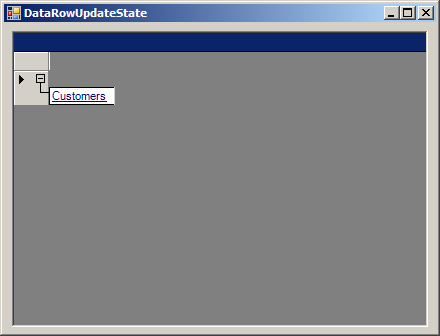
public class DataRowUpdateState : System.Windows.Forms.Form
{
  private System.Windows.Forms.DataGrid dataGrid1;
  private System.ComponentModel.Container components = null;

  public DataRowUpdateState()
  {
    InitializeComponent();
    CreateCustomersTable();
  }

  protected override void Dispose( bool disposing )
  {
    if( disposing )
    {
      if (components != null)
      {
        components.Dispose();
      }
    }
    base.Dispose( disposing );
  }

  private void InitializeComponent()
  {
    this.dataGrid1 = new System.Windows.Forms.DataGrid();
    ((System.ComponentModel.ISupportInitialize)(this.dataGrid1)).BeginInit();
    this.SuspendLayout();
    //
    // dataGrid1
    //
    this.dataGrid1.DataMember = "";
    this.dataGrid1.Location = new System.Drawing.Point(8, 8);
    this.dataGrid1.Name = "dataGrid1";
    this.dataGrid1.Size = new System.Drawing.Size(416, 296);
    this.dataGrid1.TabIndex = 0;
    //
    // DataRowUpdateState
    //
    this.AutoScaleBaseSize = new System.Drawing.Size(5, 13);
    this.ClientSize = new System.Drawing.Size(432, 309);
    this.Controls.AddRange(new System.Windows.Forms.Control[] {
                                    this.dataGrid1});
    this.Name = "DataRowUpdateState";
    this.Text = "DataRowUpdateState";
    ((System.ComponentModel.ISupportInitialize)(this.dataGrid1)).EndInit();
    this.ResumeLayout(false);

  }

  [STAThread]
  static void Main()
  {
    Application.Run(new DataRowUpdateState());
  }

  private void CreateCustomersTable()
  {
    System.Data.DataTable custTable = new DataTable("Customers");
    DataColumn dtColumn;

    dtColumn = new DataColumn();
    dtColumn.DataType = System.Type.GetType("System.Int32");
    dtColumn.ColumnName = "id";
    dtColumn.Caption = "Cust ID";
    dtColumn.ReadOnly = true;
    dtColumn.Unique = true;
    custTable.Columns.Add(dtColumn);

    dtColumn = new DataColumn();
    dtColumn.DataType = System.Type.GetType("System.String");
    dtColumn.ColumnName = "Name";
    dtColumn.Caption = "Cust Name";
    dtColumn.AutoIncrement = false;
    dtColumn.ReadOnly = false;
    dtColumn.Unique = false;
    custTable.Columns.Add(dtColumn);

    dtColumn = new DataColumn();
    dtColumn.DataType = System.Type.GetType("System.String");
    dtColumn.ColumnName = "Address";
    dtColumn.Caption = "Address";
    dtColumn.ReadOnly = false;
    dtColumn.Unique = false;
    // Add Address column to the table.
    custTable.Columns.Add(dtColumn);

    DataColumn[] PrimaryKeyColumns = new DataColumn[1];
    PrimaryKeyColumns[0] = custTable.Columns["id"];
    custTable.PrimaryKey = PrimaryKeyColumns;

    DataSet ds = new DataSet("Customers");
    ds.Tables.Add(custTable);

    DataRow row1 = custTable.NewRow();
    row1["id"] = 1;
    row1["Address"] = "USA";
    row1["Name"] = "George";
    custTable.Rows.Add(row1);

        MessageBox.Show(row1.RowState.ToString());
    row1.RejectChanges();
    MessageBox.Show(row1.RowState.ToString());
    row1.Delete();
    MessageBox.Show(row1.RowState.ToString());

    dataGrid1.DataSource = ds.DefaultViewManager;
  }
}