Home
Java Tutorial
Language
Data Type
Operators
Statement Control
Class Definition
Development
Reflection
Regular Expressions
Collections
Thread
File
Generics
I18N
Swing
Swing Event
2D Graphics
SWT
SWT 2D Graphics
Network
Database
Hibernate
JPA
JSP
JSTL
Servlet
Web Services SOA
EJB3
Spring
PDF
Email
J2ME
J2EE Application
XML
Design Pattern
Log
Security
Apache Common
Ant
JUnit
GridBagLayout « Swing « Java Tutorial
Java Tutorial
Swing
GridBagLayout
14.94.GridBagLayout
14.94.1.
Using a GridBagLayout Manager
14.94.2.
Uses many features
14.94.3.
Place a component at cell location (1,1)
14.94.4.
Setting the Location of a Component in a GridBagLayout
14.94.5.
Getting the Number of Rows and Columns of Cells in a GridBagLayout
14.94.6.
Making a GridBagLayout Fill the Container
14.94.7.
Setting the Stretchyness of Rows and Columns in a GridBagLayout Using Layout Weights
14.94.8.
Place a component at (0,1) with a column weight 1 and a row weight of 2
14.94.9.
Setting Stretchyness of a GridBagLayout Using Fill
14.94.10.
Make the component on stretchable
14.94.11.
Make the component only stretch horizontally
14.94.12.
Make the component only stretch vertically
14.94.13.
Make the component stretch in both directions
14.94.14.
Setting the Space around a Component Within the Cell of the GridBagLayout Using Insets
14.94.15.
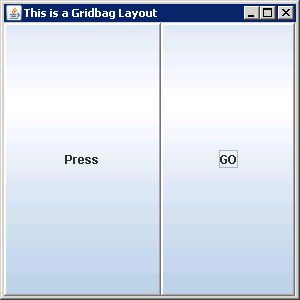
Create and set a gridbag layout and how to set gridbag constraints
14.94.16.
Associate the gridbag constraints with the component
14.94.17.
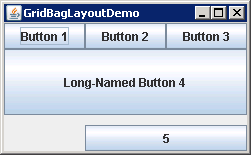
Positions five components within a container, using weights, fill, and relative positioning
14.94.18.
Positioning a component in the center of other component using GridbagLayout