Home
Java Tutorial
Language
Data Type
Operators
Statement Control
Class Definition
Development
Reflection
Regular Expressions
Collections
Thread
File
Generics
I18N
Swing
Swing Event
2D Graphics
SWT
SWT 2D Graphics
Network
Database
Hibernate
JPA
JSP
JSTL
Servlet
Web Services SOA
EJB3
Spring
PDF
Email
J2ME
J2EE Application
XML
Design Pattern
Log
Security
Apache Common
Ant
JUnit
PrintJob « 2D Graphics « Java Tutorial
Java Tutorial
2D Graphics
PrintJob
16.49.PrintJob
16.49.1.
Print with java.awt.PrintJob
16.49.2.
Print Sample with java.awt.Graphics
16.49.3.
Print configuration
16.49.4.
Listening for Print Job Attribute Changes
16.49.5.
Determining When a Print Job Has Finished
16.49.6.
Cancelling a Print Job
16.49.7.
Getting the Default Value of a Print Job Capability
16.49.8.
Getting the Possible Values for a Print Job Capability
16.49.9.
Setting the Orientation of a Print Job -- Portrait or Landscape
16.49.10.
demonstrate the Java 1.4 printing API
16.49.11.
Setting the Number of Copies of a Print Job
16.49.12.
Displaying the Page Format Dialog: changes the default page format such as orientation and paper size.
16.49.13.
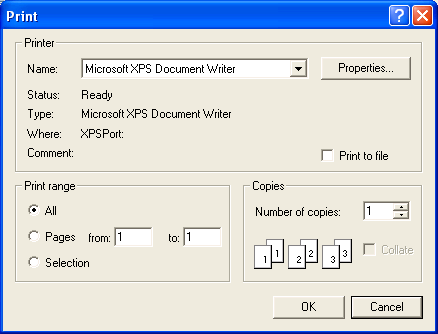
Print Dialog: change the default printer settings(default printer, number of copies, range of pages)
16.49.14.
Setting the Orientation of a Printed Page