Label « SWT « Java Tutorial

Java Tutorial
1. Language
2. Data Type
3. Operators
4. Statement Control
5. Class Definition
6. Development
7. Reflection
8. Regular Expressions
9. Collections
10. Thread
11. File
12. Generics
13. I18N
14. Swing
15. Swing Event
16. 2D Graphics
17. SWT
18. SWT 2D Graphics
19. Network
20. Database
21. JSP
22. JSTL
23. Servlet
24. Web Services SOA
25. Email
26. J2ME
27. J2EE Application
28. XML
29. Design Pattern
30. Log
31. Security
32. Apache Common
Java
Java Source Code / Java Documentation
Java Open Source
Jar File Download
Java Articles
Java Products
Java by API
C# / C Sharp
C# / CSharp Tutorial
ASP.Net
JavaScript DHTML
JavaScript Tutorial
JavaScript Reference
HTML / CSS
HTML CSS Reference
C / ANSI-C
C Tutorial
C++
C++ Tutorial
PHP
Python
SQL Server / T-SQL
Oracle PL / SQL
Oracle PL/SQL Tutorial
PostgreSQL
SQL / MySQL
MySQL Tutorial
VB.Net
VB.Net Tutorial
Flash / Flex / ActionScript
VBA / Excel / Access / Word
Microsoft Office PowerPoint 2007 Tutorial
Microsoft Office Excel 2007 Tutorial
Microsoft Office Word 2007 Tutorial
Java Tutorial » SWT » Label 
17. 13. Label
17. 13. 1. Introducing Label
17. 13. 2. Label Styles
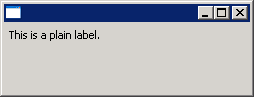
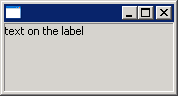
17. 13. 3. Add Label to ShellAdd Label to Shell
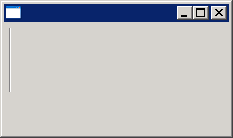
17. 13. 4. Use Label as a separatorUse Label as a separator
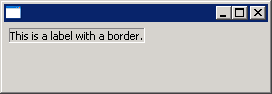
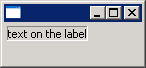
17. 13. 5. Label with borderLabel with border
17. 13. 6. Horizontal Separator LabelHorizontal Separator Label
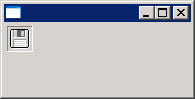
17. 13. 7. Adding Image to LabelAdding Image to Label
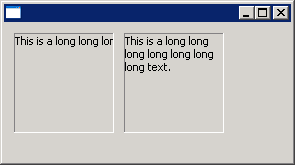
17. 13. 8. Label WRAP styleLabel WRAP style
17. 13. 9. SHADOW_IN, SHADOW_OUT, SHADOW_NONE: These three styles specify the shadow behavior of labels with the SEPARATOR style.SHADOW_IN, SHADOW_OUT, SHADOW_NONE: These three styles specify the shadow behavior of labels with the SEPARATOR style.
17. 13. 10. LEFT, RIGHT, CENTER: These styles specify the text/image alignment in labels.LEFT, RIGHT, CENTER: These styles specify the text/image alignment in labels.
17. 13. 11. Label with border(SWT.BORDER)Label with border(SWT.BORDER)
w_w___w__.j___a_v_a_2_s_.___co___m___ | Contact Us
Copyright 2003 - 08 Demo Source and Support. All rights reserved.
All other trademarks are property of their respective owners.