• Home
  • Java Tutorial
  • Language
  • Data Type
  • Operators
  • Statement Control
  • Class Definition
  • Development
  • Reflection
  • Regular Expressions
  • Collections
  • Thread
  • File
  • Generics
  • I18N
  • Swing
  • Swing Event
  • 2D Graphics
  • SWT
  • SWT 2D Graphics
  • Network
  • Database
  • Hibernate
  • JPA
  • JSP
  • JSTL
  • Servlet
  • Web Services SOA
  • EJB3
  • Spring
  • PDF
  • Email
  • J2ME
  • J2EE Application
  • XML
  • Design Pattern
  • Log
  • Security
  • Apache Common
  • Ant
  • JUnit

Label « SWT « Java Tutorial


  1. Java Tutorial
  2. SWT
  3. Label
17.13.Label
17.13.1.Introducing Label
17.13.2.Label Styles
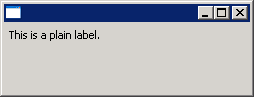
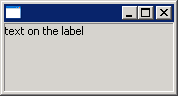
17.13.3.Add Label to ShellAdd Label to Shell
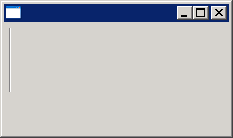
17.13.4.Use Label as a separatorUse Label as a separator
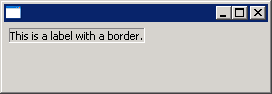
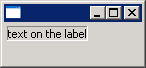
17.13.5.Label with borderLabel with border
17.13.6.Horizontal Separator LabelHorizontal Separator Label
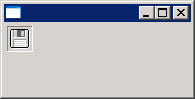
17.13.7.Adding Image to LabelAdding Image to Label
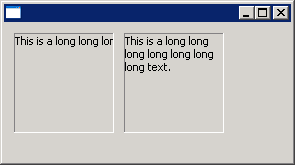
17.13.8.Label WRAP styleLabel WRAP style
17.13.9.SHADOW_IN, SHADOW_OUT, SHADOW_NONE: These three styles specify the shadow behavior of labels with the SEPARATOR style.SHADOW_IN, SHADOW_OUT, SHADOW_NONE: These three styles specify the shadow behavior of labels with the SEPARATOR style.


17.13.10.LEFT, RIGHT, CENTER: These styles specify the text/image alignment in labels.LEFT, RIGHT, CENTER: These styles specify the text/image alignment in labels.
17.13.11.Label with border(SWT.BORDER)Label with border(SWT.BORDER)

java2s.com  | © Demo Source and Support. All rights reserved.