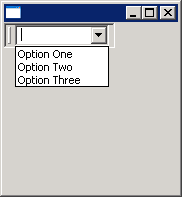
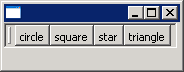
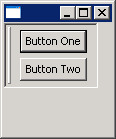
To add multiple controls, create a composite, add the controls to the composite, and
pass the composite to the cool item's setControl() method.
import org.eclipse.swt.SWT;
import org.eclipse.swt.graphics.Point;
import org.eclipse.swt.layout.GridData;
import org.eclipse.swt.layout.GridLayout;
import org.eclipse.swt.widgets.Button;
import org.eclipse.swt.widgets.Composite;
import org.eclipse.swt.widgets.Control;
import org.eclipse.swt.widgets.CoolBar;
import org.eclipse.swt.widgets.CoolItem;
import org.eclipse.swt.widgets.Display;
import org.eclipse.swt.widgets.Shell;

public class CoolBarComposite {

  public static void main(String[] args) {
    Display display = new Display();
    Shell shell = new Shell(display);
    CoolBar coolBar = new CoolBar(shell, SWT.BORDER);
    coolBar.setLayoutData(new GridData(GridData.FILL_HORIZONTAL));

    final CoolItem item = new CoolItem(coolBar, SWT.DROP_DOWN);

    Composite c = new Composite(coolBar, SWT.NONE);
    c.setLayout(new GridLayout(1, false));
    new Button(c, SWT.PUSH).setText("Button One");
    new Button(c, SWT.PUSH).setText("Button Two");

    item.setControl(c);

    Control control = item.getControl();
    Point pt = control.computeSize(SWT.DEFAULT, SWT.DEFAULT);
    pt = item.computeSize(pt.x, pt.y);
    item.setSize(pt);

    coolBar.pack();
    shell.open();
    while (!shell.isDisposed()) {
      if (!display.readAndDispatch())
        display.sleep();
    }
    display.dispose();
  }

}