| 15.1.DATE |
| 15.1.1. | DATE(year,month,day) returns a particular date | 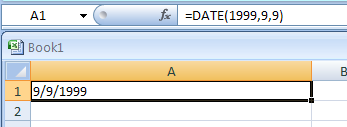 |
| 15.1.2. | =DATE(2006, -5, 16) returns the date July 16, 2005 because July 2005 is 5 months before the first month of 2006. | 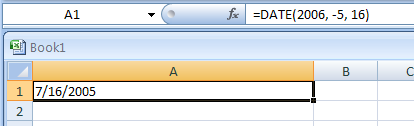 |
| 15.1.3. | =DATE(2001, 15, 2) returns March 2, 2002, because March 2002 is 15 months after the first month of 2001. | 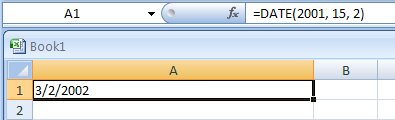 |
| 15.1.4. | =DATE(2003, 2, 30) returns March 2, 2003, because February does not have 30 days. | 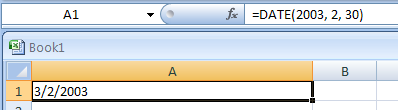 |
| 15.1.5. | To generate a series of dates separated by seven days | 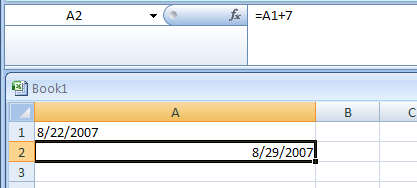 |
| 15.1.6. | Generate a series of dates separated by one month |
| 15.1.7. | To generate a series of dates separated by one year |
| 15.1.8. | Import data that contains dates coded as text strings |
| 15.1.9. | Expresses the date in cell A1 as an ordinal date: | 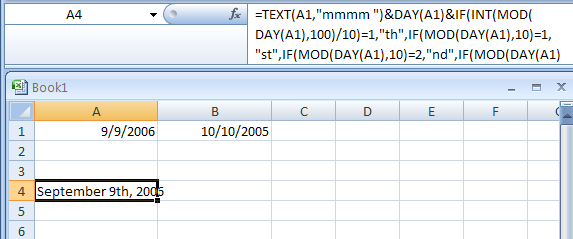 |
|
| 15.1.10. | To enter New Year's Day for a specific year in cell A1 | 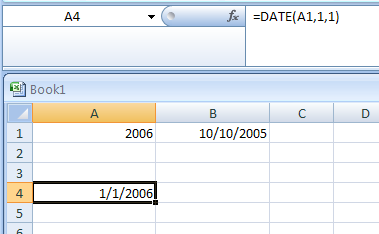 |
| 15.1.11. | INDEPENDENCE DAY always falls on July 4: | 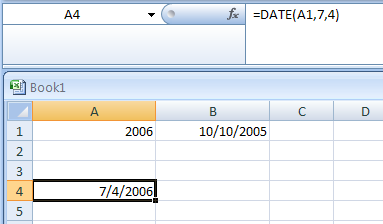 |
| 15.1.12. | VETERANS DAY always falls on November 11: | 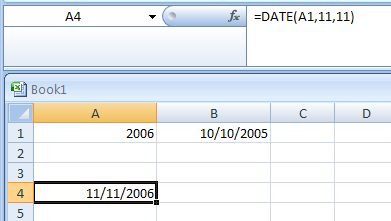 |
| 15.1.13. | CHRISTMAS DAY always falls on December 25: | 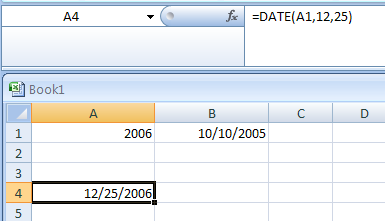 |
| 15.1.14. | Calculating the Number of Days between Two Dates | 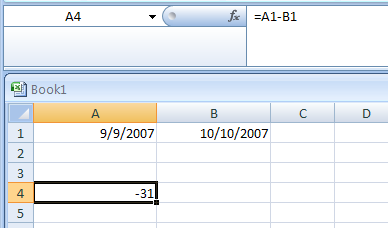 |
| 15.1.15. | Return the date for Independence Day (July 4th) of the current year: |