=SEARCH ("b*d",A1): the search pattern is the letter b, followed by any number of characters, followed by the letter d : SEARCH « Text functions « Microsoft Office Excel 2007 Tutorial
| 22.20.SEARCH | ||||
| 22.20.1. | SEARCH(find_text,within_text,start_num), SEARCHB(find_text,within_text,start_num) finds one text value within another (not case-sensitive) | 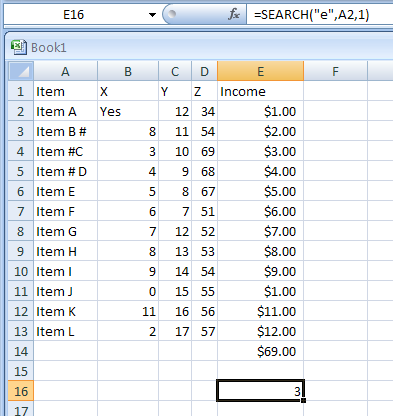 | ||
| 22.20.2. | =SEARCH ("Birthday", A1) | 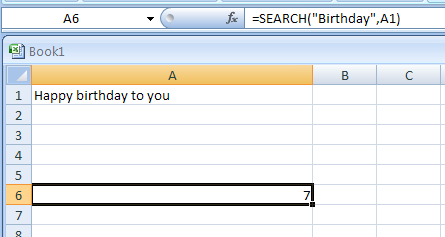 | ||
| 22.20.3. | =SEARCH ("y??",A1) returns the first place where a y is followed by any two characters | 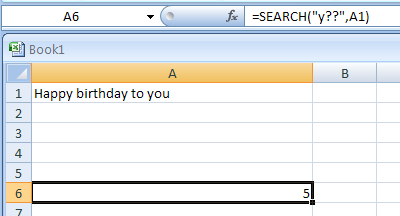 | ||
| 22.20.4. | =SEARCH ("yo?",A1) returns the first place where yo is followed by any single character | 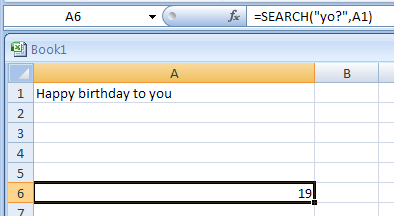 | ||
| 22.20.5. | =SEARCH ("b*d",A1): the search pattern is the letter b, followed by any number of characters, followed by the letter d | 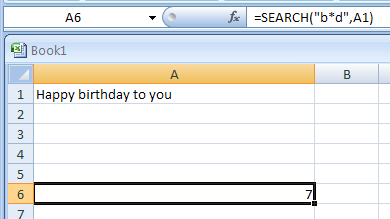 | ||
| 22.20.6. | Search for the word Report and replaces those six characters it with the word Summary: | 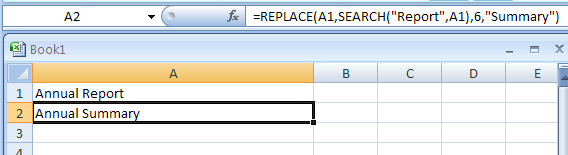 | ||