Home
Microsoft Office PowerPoint 2007 Tutorial
Introduction
Editing Format
Slides
Chart Table
WordArt Picture Clip Art Shape
Add ins Macro ActiveX
Change Text Direction : Text Direction « Editing Format « Microsoft Office PowerPoint 2007 Tutorial
Microsoft Office PowerPoint 2007 Tutorial
Editing Format
Text Direction
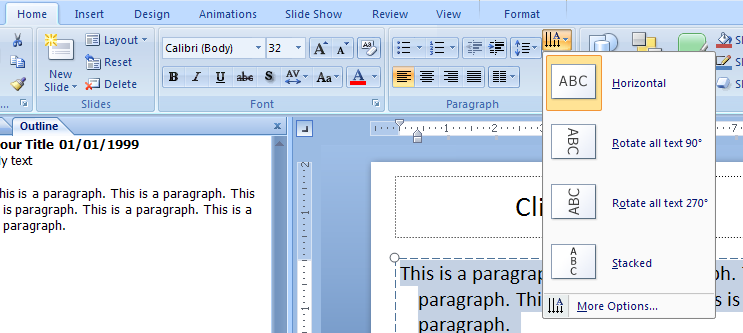
Select the text. Click the Home tab. Click the Text Direction button.
2.9.Text Direction
2.9.1.
Change Text Direction