Add Text to a Shape : Shape with Text « Shape Picture WordArt SmartArt Clip Art « Microsoft Office Word 2007 Tutorial
Microsoft Office Word 2007 Tutorial
1. Introduction
2. Editing
3. Style Formatting
4. Shape Picture WordArt SmartArt Clip Art
5. Documentation
6. Table
7. Chart
8. Controls ActiveX Macro
9. Mail Merge
10. Security
11. Collaboration
Java
Java Tutorial
Java Source Code / Java Documentation
Java Open Source
Jar File Download
Java Articles
Java Products
Java by API
C# / C Sharp
C# / CSharp Tutorial
ASP.Net
JavaScript DHTML
JavaScript Tutorial
JavaScript Reference
HTML / CSS
HTML CSS Reference
C / ANSI-C
C Tutorial
C++
C++ Tutorial
PHP
Python
SQL Server / T-SQL
Oracle PL / SQL
Oracle PL/SQL Tutorial
PostgreSQL
SQL / MySQL
MySQL Tutorial
VB.Net
VB.Net Tutorial
Microsoft Office PowerPoint 2007 Tutorial
Microsoft Office Excel 2007 Tutorial
Microsoft Office Word 2007 Tutorial » Shape Picture WordArt SmartArt Clip Art » Shape with Text 
4. 9. 1. Add Text to a Shape
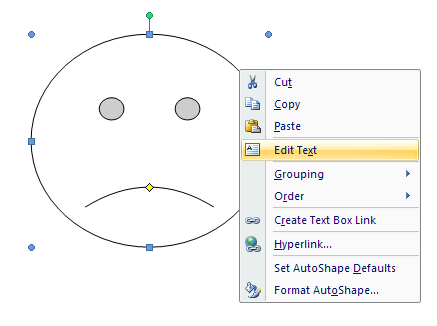
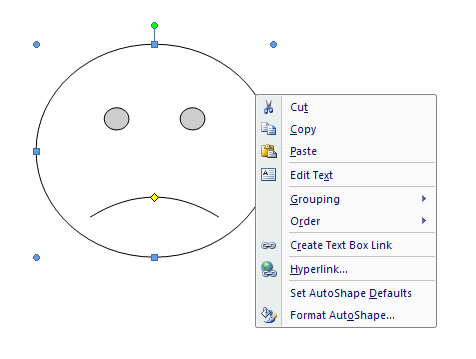
Select a shape.
Select a shape.
Right-click the shape
Right-click the shape
Then click Add Text.
Then click Add Text.
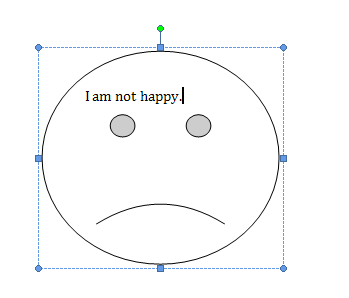
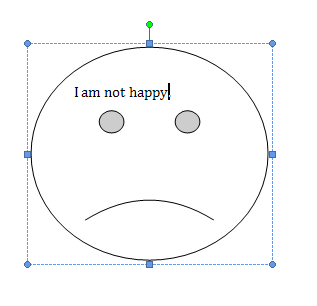
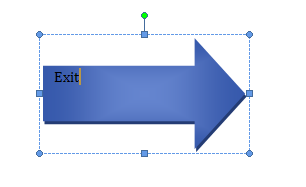
Then type the text you want.
Then type the text you want.
4. 9. Shape with Text
4. 9. 1. Add Text to a ShapeAdd Text to a Shape
4. 9. 2. Edit the text in a shapeEdit the text in a shape
4. 9. 3. Add a Style to Shape TextAdd a Style to Shape Text
4. 9. 4. Change the font for a Shape Text with Font Dialog BoxChange the font for a Shape Text with Font Dialog Box
w___w_w_.j___av__a__2s__.___c___o__m__ | Contact Us
Copyright 2003 - 08 Demo Source and Support. All rights reserved.
All other trademarks are property of their respective owners.