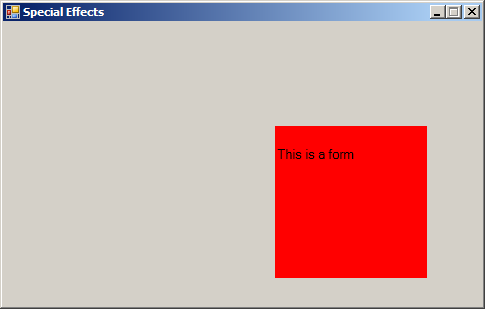
Imports System.Drawing
Imports System.Drawing.Drawing2D
Imports System.Windows.Forms

public class MouseEnterLeave
   public Shared Sub Main
        Application.Run(New Form1)
   End Sub
End class

Public Class Form1
    Private ButtonBackColor As Color = Color.LightGreen

    Private Sub Button2_MouseEnter(ByVal sender As Object, ByVal e As System.EventArgs) Handles Button2.MouseEnter
        ButtonBackColor = Color.Yellow
    End Sub

    Private Sub Button2_MouseLeave(ByVal sender As Object,ByVal e As System.EventArgs) Handles Button2.MouseLeave
        ButtonBackColor = Color.Red
    End Sub

    Private Sub Button2_MouseDown(ByVal sender As Object,ByVal e As System.Windows.Forms.MouseEventArgs) Handles Button2.MouseDown
        ButtonBackColor = Color.Green
    End Sub

    Private Sub Button2_MouseUp(ByVal sender As Object,ByVal e As System.Windows.Forms.MouseEventArgs) Handles Button2.MouseUp
        ButtonBackColor = Color.LightGreen
        Button2.Refresh()
    End Sub

    Private Sub Button2_Paint(ByVal sender As Object, ByVal e As System.Windows.Forms.PaintEventArgs) Handles Button2.Paint
        Dim canvas As Graphics = e.Graphics

        canvas.Clear(ButtonBackColor)

        Dim atomPen As Pen = New Pen(Color.Blue, 2)
        Dim largerFont As Font = New Font(Me.Font.Name, 10)

        e.Graphics.DrawString("This is a form", largerFont, Brushes.Black,0, 20)
    End Sub

    Private Sub Button2_Click(ByVal sender As System.Object,ByVal e As System.EventArgs) Handles Button2.Click
        MsgBox("Button2 clicked!", MsgBoxStyle.Exclamation,"Painting on Controls")
    End Sub
End Class


<Global.Microsoft.VisualBasic.CompilerServices.DesignerGenerated()> _
Partial Class Form1
    Inherits System.Windows.Forms.Form

    'Form overrides dispose to clean up the component list.
    <System.Diagnostics.DebuggerNonUserCode()> _
    Protected Overrides Sub Dispose(ByVal disposing As Boolean)
        If disposing AndAlso components IsNot Nothing Then
            components.Dispose()
        End If
        MyBase.Dispose(disposing)
    End Sub

    'Required by the Windows Form Designer
    Private components As System.ComponentModel.IContainer

    'NOTE: The following procedure is required by the Windows Form Designer
    'It can be modified using the Windows Form Designer.
    'Do not modify it using the code editor.
    <System.Diagnostics.DebuggerStepThrough()> _
    Private Sub InitializeComponent()
        Me.Panel1 = New System.Windows.Forms.Panel
        Me.Button2 = New System.Windows.Forms.Button
        Me.SuspendLayout()
        '
        'Panel1
        '
        Me.Panel1.Location = New System.Drawing.Point(56, 32)
        Me.Panel1.Name = "Panel1"
        Me.Panel1.Size = New System.Drawing.Size(368, 40)
        Me.Panel1.TabIndex = 0
        '
        'Button2
        '
        Me.Button2.Location = New System.Drawing.Point(272, 104)
        Me.Button2.Name = "Button2"
        Me.Button2.Size = New System.Drawing.Size(152, 152)
        Me.Button2.TabIndex = 1
        Me.Button2.Text = "Button2"
        Me.Button2.UseVisualStyleBackColor = True
        '
        'Form1
        '
        Me.AutoScaleDimensions = New System.Drawing.SizeF(6.0!, 13.0!)
        Me.AutoScaleMode = System.Windows.Forms.AutoScaleMode.Font
        Me.ClientSize = New System.Drawing.Size(479, 284)
        Me.Controls.Add(Me.Button2)
        Me.Controls.Add(Me.Panel1)
        Me.FormBorderStyle = System.Windows.Forms.FormBorderStyle.FixedSingle
        Me.MaximizeBox = False
        Me.Text = "Special Effects"
        Me.ResumeLayout(False)

    End Sub
    Friend WithEvents Panel1 As System.Windows.Forms.Panel
    Friend WithEvents Button2 As System.Windows.Forms.Button

End Class