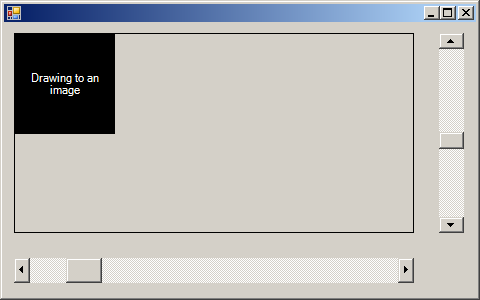
imports System
imports System.Drawing
imports System.Windows.Forms

public class ScrollBars : inherits Form

  dim pnl as Panel
  dim pb as PictureBox
  dim hbar as HScrollBar
  dim vbar as VScrollBar
  dim img as Image

  public sub New()
    Size = new Size(480,300)

    img = Image.FromFile("yourfile.jpg")

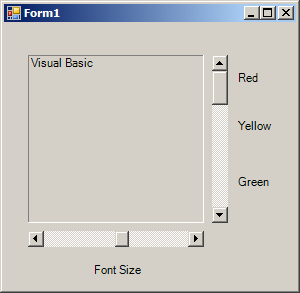
    pnl = new Panel()
    pnl.Parent = me
    pnl.Size = new Size(400,200)
    pnl.Location = new Point(10,10)
    pnl.BorderStyle = BorderStyle.FixedSingle

    pb = new PictureBox()
    pb.Parent = pnl
    pb.Size = new Size(img.Size.Width, img.Size.Height)
    pb.Location = new Point(0, 0)
    pb.SizeMode = PictureBoxSizeMode.CenterImage
    pb.Image = img

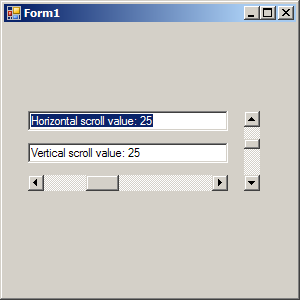
    hbar = new HScrollBar()
    hbar.Parent = me
    hbar.Location = new Point(pnl.Left, pnl.Bottom + 25)
    hbar.Size = new Size(pnl.Width, 25)
    hbar.Minimum = 0
    hbar.Maximum = 100
    hbar.SmallChange = 1
    hbar.LargeChange = 10
    hbar.Value = 10
    AddHandler hbar.ValueChanged, AddressOf hbar_OnValueChanged

    vbar = new VScrollBar()
    vbar.Parent = me
    vbar.Location = new Point(pnl.Right + 25, pnl.Top)
    vbar.Size = new Size(25, pnl.Height)
    vbar.Minimum = 0
    vbar.Maximum = 100
    vbar.SmallChange = 1
    vbar.LargeChange = 10
    vbar.Value = CType((vbar.Maximum - vbar.Minimum) / 2, integer)
    AddHandler vbar.ValueChanged, AddressOf vbar_OnValueChanged
  end sub  '  close for constructor

  private sub hbar_OnValueChanged(ByVal sender as object,ByVal e as EventArgs)
    pb.Location = new Point(CType((pnl.Size.Width - img.Size.Width) * _
      hbar.Value /(hbar.Maximum - hbar.LargeChange + 1), integer), _
      pb.Top)
  end sub

  private sub vbar_OnValueChanged(ByVal sender as object,ByVal e as EventArgs)
    pb.Location = new Point(pb.Left, _
      CType((pnl.Size.Height - img.Size.Height) * _
      vbar.Value / (vbar.Maximum - vbar.LargeChange + 1), integer))
  end sub

  public shared sub Main()
    Application.Run(new ScrollBars())
  end sub

end class