Draw text on an Image : Image « 2D Graphics « C# / C Sharp

C# / C Sharp
1. 2D Graphics
2. Class Interface
3. Collections Data Structure
4. Components
5. Data Types
6. Database ADO.net
7. Design Patterns
8. Development Class
9. Event
10. File Stream
11. Generics
12. GUI Windows Form
13. Language Basics
14. LINQ
15. Network
16. Office
17. Reflection
18. Regular Expressions
19. Security
20. Services Event
21. Thread
22. Web Services
23. Windows
24. XML
25. XML LINQ
Java
Java Tutorial
Java Source Code / Java Documentation
Java Open Source
Jar File Download
Java Articles
Java Products
Java by API
C# / CSharp Tutorial
ASP.Net
JavaScript DHTML
JavaScript Tutorial
JavaScript Reference
HTML / CSS
HTML CSS Reference
C / ANSI-C
C Tutorial
C++
C++ Tutorial
PHP
Python
SQL Server / T-SQL
Oracle PL / SQL
Oracle PL/SQL Tutorial
PostgreSQL
SQL / MySQL
MySQL Tutorial
VB.Net
VB.Net Tutorial
Flash / Flex / ActionScript
VBA / Excel / Access / Word
Microsoft Office PowerPoint 2007 Tutorial
Microsoft Office Excel 2007 Tutorial
Microsoft Office Word 2007 Tutorial
C# / C Sharp » 2D Graphics » ImageScreenshots 
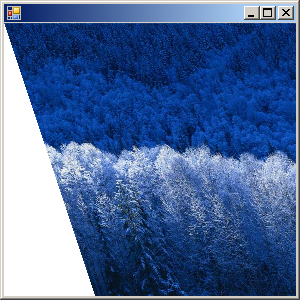
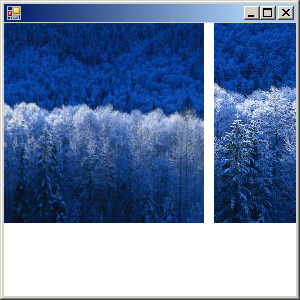
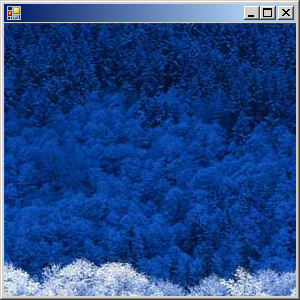
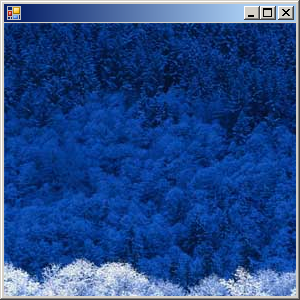
Draw text on an Image
 

using System;
using System.Drawing;
using System.Windows.Forms;
   
class DrawOnImage: Form
{
     Image  image = Image.FromFile("Color.jpg");
     string str = "www.java2s.com";
   
     public static void Main()
     {
          Application.Run(new DrawOnImage());
     }
     public DrawOnImage()
     {
          ResizeRedraw = true
          Graphics grfxImage = Graphics.FromImage(image);
   
          grfxImage.PageUnit = GraphicsUnit.Inch;
          grfxImage.PageScale = 1;
   
          SizeF sizef = grfxImage.MeasureString(str, Font);
   
          grfxImage.DrawString(str, Font, Brushes.White, grfxImage.VisibleClipBounds.Width - sizef.Width, 0);
   
          grfxImage.Dispose();
     }
     protected override void OnPaint(PaintEventArgs pea)
     {
          DoPage(pea.Graphics, ForeColor,ClientSize.Width, ClientSize.Height);
     }       
     protected void DoPage(Graphics grfx, Color clr, int cx, int cy)
     {
          grfx.PageUnit = GraphicsUnit.Pixel;
          grfx.DrawImage(image, 00);
          grfx.DrawString(str, Font, new SolidBrush(clr),
                    grfx.DpiX * image.Width / image.HorizontalResolution, 0);
     }
}

 
Related examples in the same category
1. Load Image from an image file with Exception handler
2. Image.FromStream: load image from stream
3. Shrink ImageShrink Image
4. Shear ImageShear Image
5. Clone ImageClone Image
6. Get Image Resolution and Image size and Display sizeGet Image Resolution and Image size and Display size
7. Draw image based on its sizeDraw image based on its size
8. Set image resolution and paint itSet image resolution and paint it
9. Load image and displayLoad image and display
10. Fill Ellipse with image based Texture BrushFill Ellipse with image based Texture Brush
11. Image Save
12. Image Open
13. Thumbnail Image
14. Draw on Pixel-Size Image
15. Partial Image Rotate
16. Partial Image Stretch
17. Draw Partial Image
18. Image At Points (Draw part of the image)
19. Image Reflection
20. Image Scale Isotropic
21. Image Scale To Rectangle
22. Center Pixel-Size Image by using Image.Width and Image.Height
23. Center an Image (VerticalResolution, HorizontalResolution)
24. Load image from a URL(Web) and draw it
25. Scribble with Bitmap
26. Image Flipping and Rotating
27. Image.GetThumbnailImage
28. Image Zoom
ww__w__.___j___a__v_a___2_s_._c__o__m___ | Contact Us
Copyright 2003 - 08 Demo Source and Support. All rights reserved.
All other trademarks are property of their respective owners.