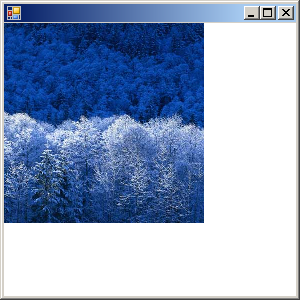
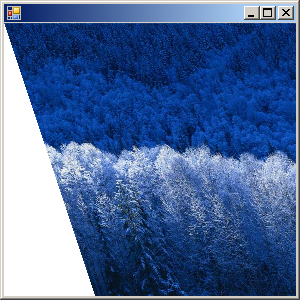
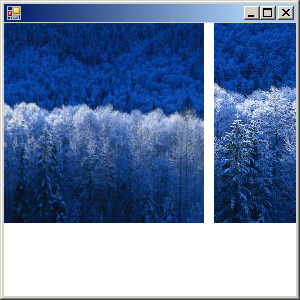
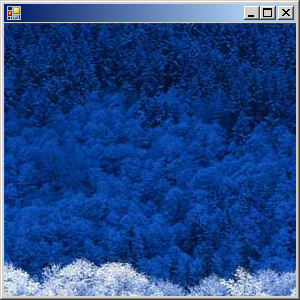
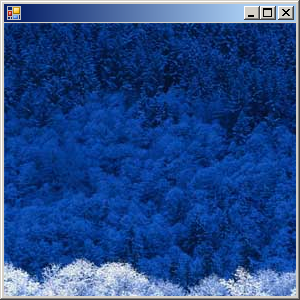
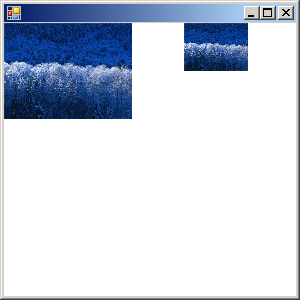
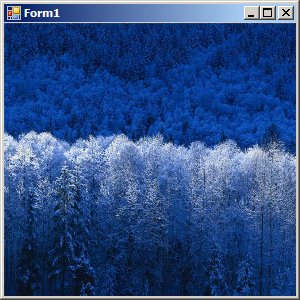
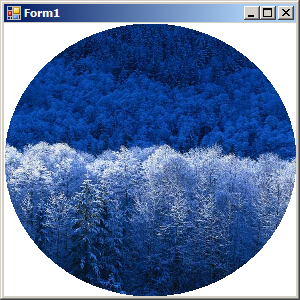
Image Flipping and Rotating
using System;
using System.Drawing;
using System.Collections;
using System.ComponentModel;
using System.Windows.Forms;
using System.Data;

public class Form1 : System.Windows.Forms.Form {
    private System.Windows.Forms.GroupBox groupBox1;
    private System.Windows.Forms.CheckBox checkBox1;
    private System.Windows.Forms.RadioButton radioButton1;

    Image im = null;
    Image im2 = null;
    private System.Windows.Forms.Label label1;
    private System.Windows.Forms.RadioButton radioButton2;
    private System.Windows.Forms.RadioButton radioButton3;

    public Form1() {
        this.groupBox1 = new System.Windows.Forms.GroupBox();
        this.radioButton1 = new System.Windows.Forms.RadioButton();
        this.checkBox1 = new System.Windows.Forms.CheckBox();
        this.label1 = new System.Windows.Forms.Label();
        this.radioButton2 = new System.Windows.Forms.RadioButton();
        this.radioButton3 = new System.Windows.Forms.RadioButton();
        this.groupBox1.SuspendLayout();
        this.SuspendLayout();

        this.groupBox1.Controls.AddRange(new System.Windows.Forms.Control[] {
                                          this.radioButton3,
                                          this.radioButton2,
                                          this.radioButton1,
                                          this.checkBox1});
        this.groupBox1.Location = new System.Drawing.Point(312, 64);
        this.groupBox1.Size = new System.Drawing.Size(248, 80);

        this.radioButton1.Location = new System.Drawing.Point(120, 16);
        this.radioButton1.Size = new System.Drawing.Size(112, 24);

        this.checkBox1.Location = new System.Drawing.Point(16, 16);
        this.checkBox1.CheckedChanged += new System.EventHandler(this.checkBox1_CheckedChanged);

        this.label1.Location = new System.Drawing.Point(8, 8);
        this.label1.Size = new System.Drawing.Size(304, 200);

        this.radioButton2.Location = new System.Drawing.Point(16, 48);
        this.radioButton3.Location = new System.Drawing.Point(120, 48);
        this.radioButton3.Size = new System.Drawing.Size(120, 24);

        this.AutoScaleBaseSize = new System.Drawing.Size(5, 13);
        this.ClientSize = new System.Drawing.Size(560, 214);
        this.Controls.AddRange(new System.Windows.Forms.Control[] {
                                      this.label1,
                                      this.groupBox1});
        this.groupBox1.ResumeLayout(false);
        this.ResumeLayout(false);
        this.radioButton1.Checked = false;
        this.label1.Text = "";
        this.groupBox1.Text = "RotateFlipType";
        this.checkBox1.Text = "Paint";
        this.radioButton1.Text = "Rotate180FlipY";
        this.radioButton2.Text = "Rotate180FlipX";
        this.radioButton3.Text = "Rotate180FlipNone";

        this.radioButton1.CheckedChanged += new System.EventHandler(this.radioButtons_CheckedChanged);
        this.radioButton2.CheckedChanged += new System.EventHandler(this.radioButtons_CheckedChanged);
        this.radioButton3.CheckedChanged += new System.EventHandler(this.radioButtons_CheckedChanged);


    }
    [STAThread]
    static void Main() {
        Application.Run(new Form1());
    }
    protected override void OnPaint(PaintEventArgs e) { RotateFlip(); }
    private void label1_Paint(object sender, System.Windows.Forms.PaintEventArgs e) { RotateFlip(); }
    private void checkBox1_CheckedChanged(object sender, System.EventArgs e) { RotateFlip(); }
    private void radioButtons_CheckedChanged(object sender, System.EventArgs e) { RotateFlip(); }
    protected void RotateFlip() {
        Graphics g = Graphics.FromHwnd(this.label1.Handle);
        Brush b = new SolidBrush(this.label1.BackColor);

        if (this.checkBox1.Checked) {
            if (im == null) ReadImage();
            Graphics g2 = Graphics.FromImage(im);
            FontFamily ff = new FontFamily("Times New Roman");
            Font f = new Font(ff, 25, FontStyle.Bold);
            g2.DrawString("HIMALAYA", f, new SolidBrush(Color.Yellow), 170, 210);
            g2.Dispose();

            im2 = (Image)im.Clone();

            int w2 = label1.Width / 2, h2 = label1.Height / 2;
            g.DrawImage(im, 0, 0, w2, h2);

            if (this.radioButton1.Checked){
                im2.RotateFlip(RotateFlipType.Rotate180FlipY);
                g.DrawImage(im2, w2, 0, w2, h2);
            } else
                g.FillRectangle(b, w2, 0, w2, h2);

            if (this.radioButton2.Checked) {
                im2.RotateFlip(RotateFlipType.Rotate180FlipX);
                g.DrawImage(im2, 0, h2, w2, h2);
            } else
                g.FillRectangle(b, 0, h2, w2, h2);

            if (this.radioButton3.Checked) {
                im2.RotateFlip(RotateFlipType.Rotate180FlipNone);
                g.DrawImage(im2, w2, h2, w2, h2);
            } else
                g.FillRectangle(b, w2, h2, w2, h2);
            im2.Dispose();
        } else Clear(g);

        b.Dispose(); g.Dispose();
    }
    protected void ReadImage() {
        string path = "a.bmp";
        im = Image.FromFile(path);
        this.radioButton1.Enabled = true;
        this.radioButton2.Enabled = true;
        this.radioButton3.Enabled = true;
    }
    protected void Clear(Graphics g) {
        g.Clear(this.BackColor);
        g.Dispose();
        im = null;
        im2 = null;
        this.radioButton1.Checked = false;
        this.radioButton2.Checked = false;
        this.radioButton3.Checked = false;
        this.radioButton1.Enabled = false;
        this.radioButton2.Enabled = false;
        this.radioButton3.Enabled = false;
    }

}
Related examples in the same category