ListBox selected Item changed event
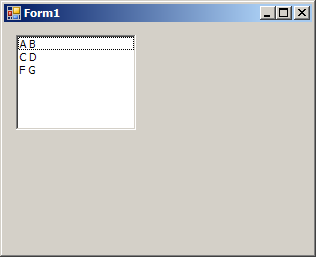
using System;
using System.Collections.Generic;
using System.ComponentModel;
using System.Data;
using System.Drawing;
using System.Text;
using System.Windows.Forms;

public class Form1 : Form
{
  private System.Windows.Forms.ListBox lstCustomers;
  public Form1() {
        InitializeComponent();
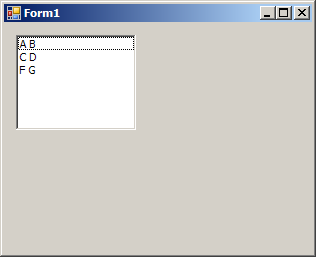
    lstCustomers.Items.Add(new Customer("A", "B", DateTime.Now.AddDays(-10)));
    lstCustomers.Items.Add(new Customer("C", "D", DateTime.Now.AddDays(-100)));
    lstCustomers.Items.Add(new Customer("F", "G", DateTime.Now.AddDays(-500)));

  }
  private void lstCustomers_SelectedIndexChanged(object sender, EventArgs e)
  {
    Customer cust = (Customer)lstCustomers.SelectedItem;
    MessageBox.Show("Birth Date: " + cust.BirthDate.ToShortDateString());
  }
  private void InitializeComponent()
  {
    this.lstCustomers = new System.Windows.Forms.ListBox();
    this.SuspendLayout();
    //
    // lstCustomers
    //
    this.lstCustomers.FormattingEnabled = true;
    this.lstCustomers.Location = new System.Drawing.Point(12, 12);
    this.lstCustomers.Name = "lstCustomers";
    this.lstCustomers.Size = new System.Drawing.Size(120, 95);
    this.lstCustomers.TabIndex = 0;
    this.lstCustomers.SelectedIndexChanged += new System.EventHandler(this.lstCustomers_SelectedIndexChanged);
    //
    // Form1
    //
    this.AutoScaleDimensions = new System.Drawing.SizeF(6F, 13F);
    this.AutoScaleMode = System.Windows.Forms.AutoScaleMode.Font;
    this.ClientSize = new System.Drawing.Size(308, 230);
    this.Controls.Add(this.lstCustomers);
    this.Font = new System.Drawing.Font("Tahoma", 8.25F, System.Drawing.FontStyle.Regular, System.Drawing.GraphicsUnit.Point, ((byte)(0)));
    this.Name = "Form1";
    this.Text = "Form1";
    this.ResumeLayout(false);

  }


  [STAThread]
  static void Main()
  {
    Application.EnableVisualStyles();
    Application.Run(new Form1());
  }

}
public class Customer
{
  public string FirstName;
  public string LastName;
  public DateTime BirthDate;

  public Customer() { }

  public Customer(string firstName, string lastName, DateTime birthDate)
  {
    FirstName = firstName;
    LastName = lastName;
    BirthDate = birthDate;
  }

  public override string ToString()
  {
    return FirstName + " " + LastName;
  }
}
Related examples in the same category