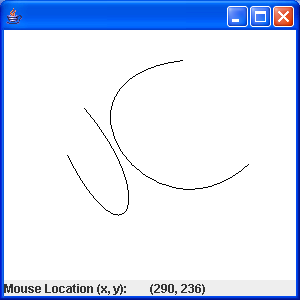
Curve with QuadCurve2D
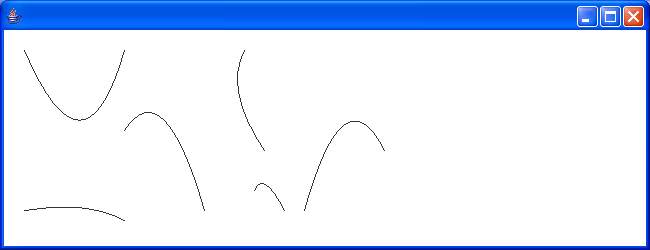
import java.awt.Canvas;
import java.awt.Color;
import java.awt.Container;
import java.awt.Graphics;
import java.awt.Graphics2D;
import java.awt.geom.QuadCurve2D;
import java.awt.geom.Rectangle2D;
import java.util.Vector;

import javax.swing.JApplet;
import javax.swing.JFrame;

public class QuadCurve extends JApplet {
  DrawingCanvas canvas;

  public static void main(String[] a){
      JFrame f = new JFrame();
      QuadCurve curve = new QuadCurve();
      curve.init();
      f.getContentPane().add(curve);
      f.setDefaultCloseOperation(1);
      f.setSize(650,250);
      f.setVisible(true);
  }

  public void init() {
    Container container = getContentPane();
    canvas = new DrawingCanvas();
    container.add(canvas);
  }

  class DrawingCanvas extends Canvas {
    Vector quadCurves;

    QuadCurve2D selectedCurve = null;

    Rectangle2D boundingRec = null;

    public DrawingCanvas() {
      setBackground(Color.white);
      setSize(400, 200); // width and height of canvas

      quadCurves = new Vector();
      quadCurves.addElement(new QuadCurve2D.Float(20, 20, 80, 160, 120,
          20));
      quadCurves.addElement(new QuadCurve2D.Float(120, 100, 160, 40, 200,
          180));
      quadCurves.addElement(new QuadCurve2D.Float(240, 20, 220, 60, 260,
          120));
      quadCurves.addElement(new QuadCurve2D.Float(250, 160, 260, 140,
          280, 180));
      quadCurves.addElement(new QuadCurve2D.Float(300, 180, 340, 40, 380,
          120));
      quadCurves.addElement(new QuadCurve2D.Float(20, 180, 80, 170, 120,
          190));
    }

    public void paint(Graphics g) {
      Graphics2D g2D = (Graphics2D) g;

      for (int i = 0; i < quadCurves.size(); i++) {
        g2D.draw((QuadCurve2D) quadCurves.elementAt(i));
      }

    }
  }
}
Related examples in the same category