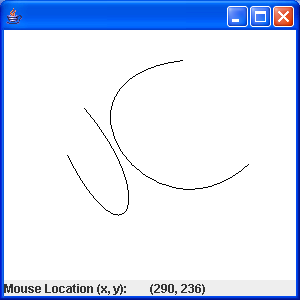
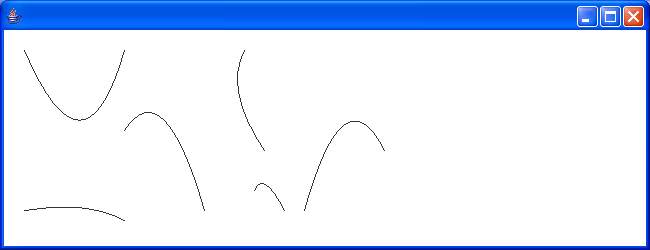
Move the curve control point and redraw the curve
import java.awt.BorderLayout;
import java.awt.Color;
import java.awt.Graphics;
import java.awt.Graphics2D;
import java.awt.event.MouseEvent;
import java.awt.geom.CubicCurve2D;
import java.awt.geom.Ellipse2D;
import java.awt.geom.Line2D;
import java.awt.geom.Point2D;
import java.awt.geom.QuadCurve2D;

import javax.swing.JComponent;
import javax.swing.JFrame;
import javax.swing.JPanel;
import javax.swing.event.MouseInputAdapter;

public class MainClass {
  public static void main(String[] args){
    JFrame frame = new JFrame();
    frame.getContentPane().add(new CurveApplet());

    frame.setDefaultCloseOperation(JFrame.EXIT_ON_CLOSE);
    frame.setSize(200, 200);
    frame.setVisible(true);
  }
}

class CurveApplet extends JPanel {
  public CurveApplet() {
    super(new BorderLayout());
    pane = new CurvePane();
    add(pane,"Center");

    MouseHandler handler = new MouseHandler();
    pane.addMouseListener(handler);
    pane.addMouseMotionListener(handler);
  }

  class CurvePane extends JComponent {
    public CurvePane() {
      quadCurve = new QuadCurve2D.Double(
          startQ.x, startQ.y,
          control.x, control.y,
          endQ.x, endQ.y);

      cubicCurve = new CubicCurve2D.Double(
          startC.x, startC.y,
          controlStart.x, controlStart.y,
          controlEnd.x, controlEnd.y,
          endC.x, endC.y);
    }

    public void paint(Graphics g) {
      Graphics2D g2D = (Graphics2D) g;
      quadCurve.ctrlx = ctrlQuad.getCenter().x;
      quadCurve.ctrly = ctrlQuad.getCenter().y;
      cubicCurve.ctrlx1 = ctrlCubic1.getCenter().x;
      cubicCurve.ctrly1 = ctrlCubic1.getCenter().y;
      cubicCurve.ctrlx2 = ctrlCubic2.getCenter().x;
      cubicCurve.ctrly2 = ctrlCubic2.getCenter().y;

      g2D.setPaint(Color.BLUE);
      g2D.draw(quadCurve);
      g2D.draw(cubicCurve);

      g2D.setPaint(Color.RED);
      ctrlQuad.draw(g2D);
      ctrlCubic1.draw(g2D);
      ctrlCubic2.draw(g2D);

      Line2D.Double tangent = new Line2D.Double(startQ, ctrlQuad.getCenter());
      g2D.draw(tangent);
      tangent = new Line2D.Double(endQ, ctrlQuad.getCenter());
      g2D.draw(tangent);

      tangent = new Line2D.Double(startC, ctrlCubic1.getCenter());
      g2D.draw(tangent);
      tangent = new Line2D.Double(endC, ctrlCubic2.getCenter());
      g2D.draw(tangent);

    }
  }


  Point2D.Double startQ = new Point2D.Double(50, 75);

  Point2D.Double endQ = new Point2D.Double(150, 75);

  Point2D.Double control = new Point2D.Double(80, 25);

  Point2D.Double startC = new Point2D.Double(50, 150);

  Point2D.Double endC = new Point2D.Double(150, 150);

  Point2D.Double controlStart = new Point2D.Double(80, 100);

  Point2D.Double controlEnd = new Point2D.Double(160, 100);

  Marker ctrlQuad = new Marker(control);

  Marker ctrlCubic1 = new Marker(controlStart);

  Marker ctrlCubic2 = new Marker(controlEnd);

  QuadCurve2D.Double quadCurve;

  CubicCurve2D.Double cubicCurve;

  CurvePane pane = new CurvePane();

  class Marker {
    public Marker(Point2D.Double control) {
      center = control;
      circle = new Ellipse2D.Double(control.x - radius, control.y - radius, 2.0 * radius,
          2.0 * radius);
    }
    public void draw(Graphics2D g2D) {
      g2D.draw(circle);
    }

    Point2D.Double getCenter() {
      return center;
    }
    public boolean contains(double x, double y) {
      return circle.contains(x, y);
    }
    public void setLocation(double x, double y) {
      center.x = x;
      center.y = y;
      circle.x = x - radius;
      circle.y = y - radius;
    }

    Ellipse2D.Double circle;

    Point2D.Double center;

    static final double radius = 3;
  }

  class MouseHandler extends MouseInputAdapter {
    public void mousePressed(MouseEvent e) {
      if (ctrlQuad.contains(e.getX(), e.getY()))
        selected = ctrlQuad;
      else if (ctrlCubic1.contains(e.getX(), e.getY()))
        selected = ctrlCubic1;
      else if (ctrlCubic2.contains(e.getX(), e.getY()))
        selected = ctrlCubic2;
    }
    public void mouseReleased(MouseEvent e) {
      selected = null;
    }
    public void mouseDragged(MouseEvent e) {
      if (selected != null) {
        selected.setLocation(e.getX(), e.getY());
        pane.repaint();
      }
    }
    Marker selected = null;
  }
}
Related examples in the same category