How to create Animation: Paint and thread : Animation « 2D Graphics GUI « Java

Java
1. 2D Graphics GUI
2. 3D
3. Advanced Graphics
4. Ant
5. Apache Common
6. Chart
7. Collections Data Structure
8. Database SQL JDBC
9. Design Pattern
10. Development Class
11. Email
12. Event
13. File Input Output
14. Game
15. Hibernate
16. J2EE
17. J2ME
18. JDK 6
19. JSP
20. JSTL
21. Language Basics
22. Network Protocol
23. PDF RTF
24. Regular Expressions
25. Security
26. Servlets
27. Spring
28. Swing Components
29. Swing JFC
30. SWT JFace Eclipse
31. Threads
32. Tiny Application
33. Velocity
34. Web Services SOA
35. XML
Microsoft Office Word 2007 Tutorial
Java Tutorial
Java Source Code / Java Documentation
Java Open Source
Jar File Download
Java Articles
Java Products
Java by API
C# / C Sharp
C# / CSharp Tutorial
ASP.Net
JavaScript DHTML
JavaScript Tutorial
JavaScript Reference
HTML / CSS
HTML CSS Reference
C / ANSI-C
C Tutorial
C++
C++ Tutorial
PHP
Python
SQL Server / T-SQL
Oracle PL / SQL
Oracle PL/SQL Tutorial
PostgreSQL
SQL / MySQL
MySQL Tutorial
VB.Net
VB.Net Tutorial
Java » 2D Graphics GUI » AnimationScreenshots 
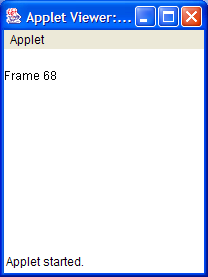
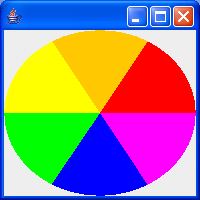
How to create Animation: Paint and thread


import java.awt.Color;
import java.awt.Graphics;
import java.awt.Insets;
import java.util.Timer;
import java.util.TimerTask;

import javax.swing.JFrame;

public class Animate extends JFrame {

  private static int DELAY = 100;

  Insets insets;

  Color colors[] Color.RED, Color.ORANGE, Color.YELLOW, Color.GREEN,
      Color.BLUE, Color.MAGENTA };

  public void paint(Graphics g) {
    super.paint(g);
    if (insets == null) {
      insets = getInsets();
    }
    // Calculate each time in case of resize
    int x = insets.left;
    int y = insets.top;
    int width = getWidth() - insets.left - insets.right;
    int height = getHeight() - insets.top - insets.bottom;
    int start = 0;
    int steps = colors.length;
    int stepSize = 360 / steps;
    synchronized (colors) {
      for (int i = 0; i < steps; i++) {
        g.setColor(colors[i]);
        g.fillArc(x, y, width, height, start, stepSize);
        start += stepSize;
      }
    }
  }

  public void go() {
    TimerTask task = new TimerTask() {
      public void run() {
        Color c = colors[0];
        synchronized (colors) {
          System.arraycopy(colors, 1, colors, 0, colors.length - 1);
          colors[colors.length - 1= c;
        }
        repaint();
      }
    };
    Timer timer = new Timer();
    timer.schedule(task, 0, DELAY);
  }

  public static void main(String args[]) {
    Animate f = new Animate();
    f.setSize(200200);
    f.show();
    f.go();
  }
}
           
       
Related examples in the same category
1. Is Event Dispatcher ThreadIs Event Dispatcher Thread
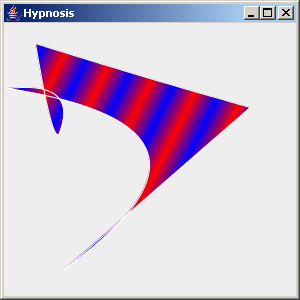
2. Hypnosis animationHypnosis animation
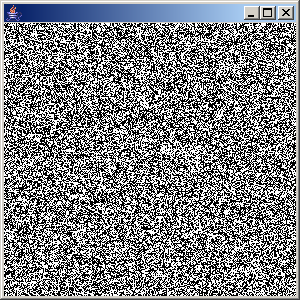
3. Noise ImageNoise Image
4. How to create animationHow to create animation
5. Bounce ThreadBounce Thread
6. Animation: bounce
7. Image BouncerImage Bouncer
8. Text animationText animation
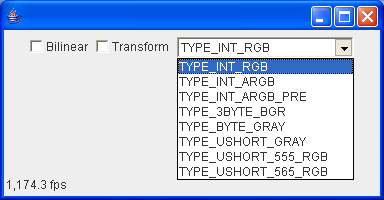
9. Buffered Animation DemoBuffered Animation Demo
10. Bouncing CircleBouncing Circle
11. Hypnosis SpiralHypnosis Spiral
12. Animator DemoAnimator Demo
13. Towers of Hanoi
w__ww__.j___a_v___a_2___s__.__c__om___ | Contact Us
Copyright 2003 - 08 Demo Source and Support. All rights reserved.
All other trademarks are property of their respective owners.