Print in Java 6
/**
 * Class: Example6
 * <p>
 *
 * Example on how to print an image.
 * <p>
 *
 * @author Jean-Pierre Dube <jpdube@videotron.ca>
 * @version 1.0
 * @since 1.0
 */

import java.awt.BasicStroke;
import java.awt.Color;
import java.awt.Component;
import java.awt.Font;
import java.awt.FontMetrics;
import java.awt.Graphics;
import java.awt.Graphics2D;
import java.awt.Image;
import java.awt.MediaTracker;
import java.awt.Toolkit;
import java.awt.geom.Rectangle2D;
import java.awt.print.Book;
import java.awt.print.PageFormat;
import java.awt.print.Printable;
import java.awt.print.PrinterJob;
import java.net.MalformedURLException;
import java.net.URL;

public class JavaWorldPrintExample6 {
  public static void main(String[] args) {

    JavaWorldPrintExample6 example = new JavaWorldPrintExample6();
    System.exit(0);
  }

  //--- Private instances declarations
  private final static int POINTS_PER_INCH = 72;

  /**
   * Constructor: Example6
   * <p>
   *
   */
  public JavaWorldPrintExample6() {

    //--- Create a new PrinterJob object
    PrinterJob printJob = PrinterJob.getPrinterJob();

    //--- Create a new book to add pages to
    Book book = new Book();

    //--- Add the cover page using the default page format for this print
    // job
    book.append(new IntroPage(), printJob.defaultPage());

    //--- Add the document page using a landscape page format
    PageFormat documentPageFormat = new PageFormat();
    documentPageFormat.setOrientation(PageFormat.LANDSCAPE);
    book.append(new Document(), documentPageFormat);

    //--- Tell the printJob to use the book as the pageable object
    printJob.setPageable(book);

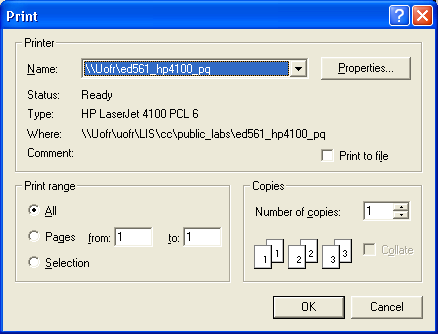
    //--- Show the print dialog box. If the user click the
    //--- print button we then proceed to print else we cancel
    //--- the process.
    if (printJob.printDialog()) {
      try {
        printJob.print();
      } catch (Exception PrintException) {
        PrintException.printStackTrace();
      }
    }
  }

  /**
   * Class: IntroPage
   * <p>
   *
   * This class defines the painter for the cover page by implementing the
   * Printable interface.
   * <p>
   *
   * @author Jean-Pierre Dube <jpdube@videotron.ca>
   * @version 1.0
   * @since 1.0
   * @see Printable
   */
  private class IntroPage implements Printable {

    /**
     * Method: print
     * <p>
     *
     * @param g
     *            a value of type Graphics
     * @param pageFormat
     *            a value of type PageFormat
     * @param page
     *            a value of type int
     * @return a value of type int
     */
    public int print(Graphics g, PageFormat pageFormat, int page) {

      //--- Create the Graphics2D object
      Graphics2D g2d = (Graphics2D) g;

      //--- Translate the origin to 0,0 for the top left corner
      g2d.translate(pageFormat.getImageableX(), pageFormat
          .getImageableY());

      //--- Set the default drawing color to black
      g2d.setPaint(Color.black);

      //--- Draw a border arround the page
      Rectangle2D.Double border = new Rectangle2D.Double(0, 0, pageFormat
          .getImageableWidth(), pageFormat.getImageableHeight());
      g2d.draw(border);

      //--- Print the title
      String titleText = "Printing in Java Part 2, Example 6, Printing an image";
      Font titleFont = new Font("helvetica", Font.BOLD, 18);
      g2d.setFont(titleFont);

      //--- Compute the horizontal center of the page
      FontMetrics fontMetrics = g2d.getFontMetrics();
      double titleX = (pageFormat.getImageableWidth() / 2)
          - (fontMetrics.stringWidth(titleText) / 2);
      double titleY = 3 * POINTS_PER_INCH;
      g2d.drawString(titleText, (int) titleX, (int) titleY);

      return (PAGE_EXISTS);
    }
  }

  /**
   * Class: Document
   * <p>
   *
   * This class is the painter for the document content. In this example, it
   * will print an image of the Nasa Space Station with a border arround it.
   * <p>
   *
   *
   * @author Jean-Pierre Dube <jpdube@videotron.ca>
   * @version 1.0
   * @since 1.0
   * @see Printable
   */
  private class Document extends Component implements Printable {

    /**
     * Method: print
     * <p>
     *
     * @param g
     *            a value of type Graphics
     * @param pageFormat
     *            a value of type PageFormat
     * @param page
     *            a value of type int
     * @return a value of type int
     */
    public int print(Graphics g, PageFormat pageFormat, int page) {

      //--- Create the Graphics2D object
      Graphics2D g2d = (Graphics2D) g;

      //--- Translate the origin to 0,0 for the top left corner
      g2d.translate(pageFormat.getImageableX(), pageFormat
          .getImageableY());

      //--- Set the drawing color to black
      g2d.setPaint(Color.black);

      //--- Draw a border arround the page using a 12 point border
      g2d.setStroke(new BasicStroke(4));
      Rectangle2D.Double border = new Rectangle2D.Double(0, 0, pageFormat
          .getImageableWidth(), pageFormat.getImageableHeight());

      g2d.draw(border);

      //--- Create a media tracker and a URL object
      MediaTracker mt = new MediaTracker(this);
      URL imageURL = null;

      //--- Set the URL to the image that we want to load.
      //--- NOTE: Change the path to reflect your location of the image
      //--- NOTE: Only the following image type are supported JPEG, GIF
      // and PNG.
      try {

        imageURL = new URL(
            "file:///c:/softdev/java/articles/javaworld/printing/part_2/ss2.jpg");
      } catch (MalformedURLException me) {
        me.printStackTrace();
      }

      //--- Load the image and wait for it to load
      Image image = Toolkit.getDefaultToolkit().getImage(imageURL);
      mt.addImage(image, 0);
      try {
        mt.waitForID(0);
      } catch (InterruptedException e) {
      }

      //--- Render the image on the sheet
      g2d.drawImage(image, (int) (0.25 * POINTS_PER_INCH),
          (int) (0.25 * POINTS_PER_INCH),
          (int) (8.5 * POINTS_PER_INCH), (int) (6 * POINTS_PER_INCH),
          this);

      //--- Validate the page
      return (PAGE_EXISTS);
    }
  }

} // Example6
Related examples in the same category