Print in Java: Multi page
/**
 * Class: Example4
 * <p>
 *
 * Example of using the TextLayout class to format a text paragraph.
 * <p>
 *
 * @author Jean-Pierre Dube <jpdube@videotron.ca>
 * @version 1.0
 * @since 1.0
 */

import java.awt.BasicStroke;
import java.awt.Color;
import java.awt.Font;
import java.awt.FontMetrics;
import java.awt.Graphics;
import java.awt.Graphics2D;
import java.awt.font.FontRenderContext;
import java.awt.font.LineBreakMeasurer;
import java.awt.font.TextAttribute;
import java.awt.font.TextLayout;
import java.awt.geom.Point2D;
import java.awt.geom.Rectangle2D;
import java.awt.print.Book;
import java.awt.print.PageFormat;
import java.awt.print.Printable;
import java.awt.print.PrinterJob;
import java.text.AttributedString;

public class JavaWorldPrintExample4 {
  public static void main(String[] args) {

    JavaWorldPrintExample4 example = new JavaWorldPrintExample4();
    System.exit(0);
  }

  //--- Private instances declarations
  private final static int POINTS_PER_INCH = 72;

  /**
   * Constructor: Example4
   * <p>
   *
   */
  public JavaWorldPrintExample4() {

    //--- Create a new PrinterJob object
    PrinterJob printJob = PrinterJob.getPrinterJob();

    //--- Create a new book to add pages to
    Book book = new Book();

    //--- Add the cover page using the default page format for this print
    // job
    book.append(new IntroPage(), printJob.defaultPage());

    //--- Add the document page using a landscape page format
    PageFormat documentPageFormat = new PageFormat();
    documentPageFormat.setOrientation(PageFormat.LANDSCAPE);
    book.append(new Document(), documentPageFormat);

    //--- Tell the printJob to use the book as the pageable object
    printJob.setPageable(book);

    //--- Show the print dialog box. If the user click the
    //--- print button we then proceed to print else we cancel
    //--- the process.
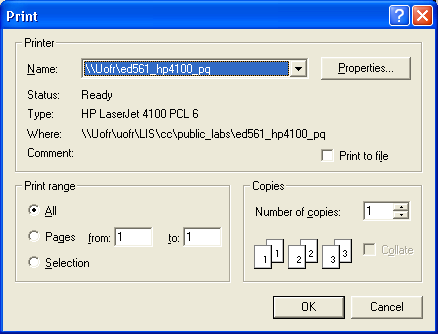
    if (printJob.printDialog()) {
      try {
        printJob.print();
      } catch (Exception PrintException) {
        PrintException.printStackTrace();
      }
    }
  }

  /**
   * Class: IntroPage
   * <p>
   *
   * This class defines the painter for the cover page by implementing the
   * Printable interface.
   * <p>
   *
   * @author Jean-Pierre Dube <jpdube@videotron.ca>
   * @version 1.0
   * @since 1.0
   * @see Printable
   */
  private class IntroPage implements Printable {

    /**
     * Method: print
     * <p>
     *
     * @param g
     *            a value of type Graphics
     * @param pageFormat
     *            a value of type PageFormat
     * @param page
     *            a value of type int
     * @return a value of type int
     */
    public int print(Graphics g, PageFormat pageFormat, int page) {

      //--- Create the Graphics2D object
      Graphics2D g2d = (Graphics2D) g;

      //--- Translate the origin to 0,0 for the top left corner
      g2d.translate(pageFormat.getImageableX(), pageFormat
          .getImageableY());

      //--- Set the default drawing color to black
      g2d.setPaint(Color.black);

      //--- Draw a border arround the page
      Rectangle2D.Double border = new Rectangle2D.Double(0, 0, pageFormat
          .getImageableWidth(), pageFormat.getImageableHeight());
      g2d.draw(border);

      //--- Print the title
      String titleText = "Printing in Java Part 2, Example 4";
      Font titleFont = new Font("helvetica", Font.BOLD, 18);
      g2d.setFont(titleFont);

      //--- Compute the horizontal center of the page
      FontMetrics fontMetrics = g2d.getFontMetrics();
      double titleX = (pageFormat.getImageableWidth() / 2)
          - (fontMetrics.stringWidth(titleText) / 2);
      double titleY = 3 * POINTS_PER_INCH;
      g2d.drawString(titleText, (int) titleX, (int) titleY);

      return (PAGE_EXISTS);
    }
  }

  /**
   * Class: Document
   * <p>
   *
   * This class is the painter for the document content.
   * <p>
   *
   *
   * @author Jean-Pierre Dube <jpdube@videotron.ca>
   * @version 1.0
   * @since 1.0
   * @see Printable
   */
  private class Document implements Printable {

    /**
     * Method: print
     * <p>
     *
     * @param g
     *            a value of type Graphics
     * @param pageFormat
     *            a value of type PageFormat
     * @param page
     *            a value of type int
     * @return a value of type int
     */
    public int print(Graphics g, PageFormat pageFormat, int page) {

      //--- Create the Graphics2D object
      Graphics2D g2d = (Graphics2D) g;

      //--- Translate the origin to 0,0 for the top left corner
      g2d.translate(pageFormat.getImageableX(), pageFormat
          .getImageableY());

      //--- Set the drawing color to black
      g2d.setPaint(Color.black);

      //--- Draw a border arround the page using a 12 point border
      g2d.setStroke(new BasicStroke(4));
      Rectangle2D.Double border = new Rectangle2D.Double(0, 0, pageFormat
          .getImageableWidth(), pageFormat.getImageableHeight());

      g2d.draw(border);

      //--- Create a string and assign the text
      String text = new String();
      text += "Manipulating raw fonts would be too complicated to render paragraphs of ";
      text += "text. Trying to write an algorithm to fully justify text using ";
      text += "proportional fonts is not trivial. Adding support for international ";
      text += "characters adds to the complexity. That's why we will use the ";
      text += "<code>TextLayout</code> and the <code>LineBreakMeasurer<code> class to ";
      text += "render text. The <code>TextLayout<code> class offers a lot of ";
      text += "functionality to render high quality text. This class is capable of ";
      text += "rendering bidirectional text such as Japanese text where the alignment ";
      text += "is from right to left instead of the North American style which is left ";
      text += "to right. The <code>TextLayout<code> class offers some additional ";
      text += "functionalities that we will not use in the course of this ";
      text += "series. Features such as text input, caret positionning and hit ";
      text += "testing will not be of much use when printing documents, but it's good ";
      text += "to know that this functionality exists. ";

      text += "The <code>TextLayout</code> class will be used to layout ";
      text += "paragraphs. The <code>TextLayout</code> class does not work alone. To ";
      text += "layout text within a specified width it needs the help of the ";
      text += "<code>LineBreakMeasurer</code> class. This class will wrap a string of ";
      text += "text to fit a predefined width. Since it's a multi-lingual class, it ";
      text += "knows exactly where to break a line of text according to the rules ";
      text += "of the language.  Then again the <code>LineBreakMeasurer</code> does ";
      text += "not work alone. It needs information from the ";
      text += "<code>FontRenderContext</code> class. This class' main function is to ";
      text += "return accurate font metrics. To measure text effectively, this class ";
      text += "needs to know the rendering hints for the targeted device and the font ";
      text += "type being used. ";

      //--- Create a point object to set the top left corner of the
      // TextLayout object
      Point2D.Double pen = new Point2D.Double(0.25 * POINTS_PER_INCH,
          0.25 * POINTS_PER_INCH);

      //--- Set the width of the TextLayout box
      double width = 7.5 * POINTS_PER_INCH;

      //--- Create an attributed string from the text string. We are
      // creating an
      //--- attributed string because the LineBreakMeasurer needs an
      // Iterator as
      //--- parameter.
      AttributedString paragraphText = new AttributedString(text);

      //--- Set the font for this text
      paragraphText.addAttribute(TextAttribute.FONT, new Font("serif",
          Font.PLAIN, 12));

      //--- Create a LineBreakMeasurer to wrap the text for the
      // TextLayout object
      //--- Note the second parameter, the FontRendereContext. I have set
      // the second
      //--- parameter antiAlised to true and the third parameter
      // useFractionalMetrics
      //--- to true to get the best possible output
      LineBreakMeasurer lineBreaker = new LineBreakMeasurer(paragraphText
          .getIterator(), new FontRenderContext(null, true, true));

      //--- Create the TextLayout object
      TextLayout layout;

      //--- LineBreakMeasurer will wrap each line to correct length and
      //--- return it as a TextLayout object
      while ((layout = lineBreaker.nextLayout((float) width)) != null) {

        //--- Align the Y pen to the ascend of the font, remember that
        //--- the ascend is origin (0, 0) of a font. Refer to figure 1
        pen.y += layout.getAscent();

        //--- Draw the line of text
        layout.draw(g2d, (float) pen.x, (float) pen.y);

        //--- Move the pen to the next position adding the descent and
        //--- the leading of the font
        pen.y += layout.getDescent() + layout.getLeading();
      }

      //--- Validate the page
      return (PAGE_EXISTS);
    }
  }

} // Example4
Related examples in the same category