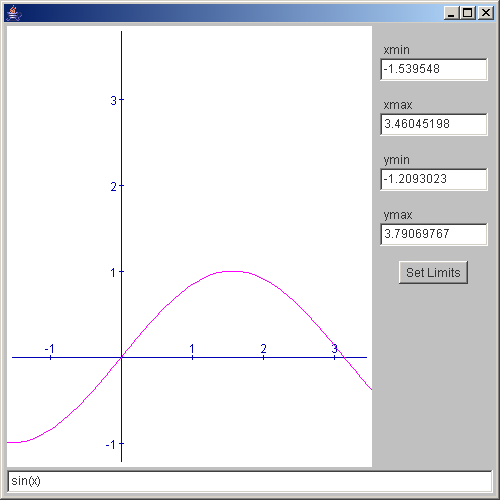
Zoom interaction, Text background color, and the effect of transparency
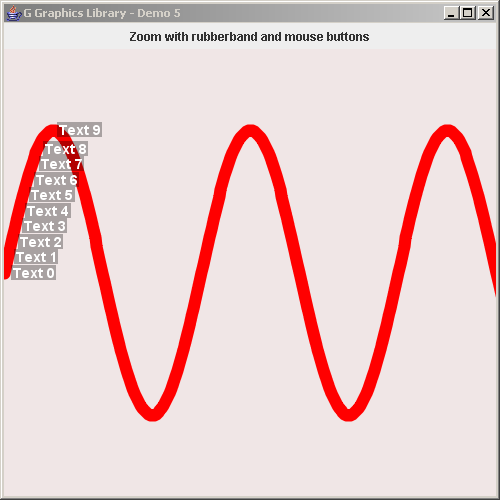
import java.awt.*;

import javax.swing.*;

import no.geosoft.cc.graphics.*;


/**
 * G demo program. Demonstrates:
 *
 * <ul>
 *   <li> Custom world extent
 *   <li> Zoom interaction
 *   <li> Text background color
 *   <li> The effect of transparency
 *   <li> Annotation layout algorithm
 * </ul>
 *
 * @author <a href="mailto:jacob.dreyer@geosoft.no">Jacob Dreyer</a>
 */
public class Demo5 extends JFrame
{
  /**
   * Class for creating the demo canvas and hande Swing events.
   */
  public Demo5()
  {
    super ("G Graphics Library - Demo 5");
    setDefaultCloseOperation (JFrame.EXIT_ON_CLOSE);

    // Create the GUI
    JPanel topLevel = new JPanel();
    topLevel.setLayout (new BorderLayout());
    getContentPane().add (topLevel);

    JPanel buttonPanel = new JPanel();
    buttonPanel.add (new JLabel ("Zoom with rubberband and mouse buttons"));
    topLevel.add (buttonPanel,   BorderLayout.NORTH);

    // Create the graphic canvas
    GWindow window = new GWindow (new Color (240, 230, 230));
    topLevel.add (window.getCanvas(), BorderLayout.CENTER);

    // Create scene with default viewport and world extent settings
    GScene scene = new GScene (window, "Scene");
    scene.setWorldExtent (0.0, -Math.PI / 2.0, 5.0 * Math.PI, 1.0 * Math.PI);

    // Create curve object
    GObject curve = new Curve();
    scene.add (curve);

    pack();
    setSize (new Dimension (500, 500));
    setVisible (true);

    window.startInteraction (new ZoomInteraction (scene));
  }


  /**
   * Defines the geometry and presentation for the sample
   * graphics object.
   */
  public class Curve extends GObject
  {
    private GSegment  curve_;


    public Curve()
    {
      curve_ = new GSegment();
      addSegment (curve_);

      GStyle curveStyle = new GStyle();
      curveStyle.setForegroundColor (new Color (255, 0, 0));
      curveStyle.setLineWidth (12);
      setStyle (curveStyle);

      GStyle textStyle = new GStyle();
      textStyle.setForegroundColor (new Color (255, 255, 255));
      textStyle.setBackgroundColor (new Color (0.0f, 0.0f, 0.0f, 0.3f));
      textStyle.setFont (new Font ("Dialog", Font.BOLD, 14));

      for (int i = 0; i < 10; i++) {
        GText text = new GText ("Text " + i, GPosition.LEFT | GPosition.EAST);
        text.setStyle (textStyle);
        curve_.addText (text);
      }
    }


    public void draw()
    {
      int nPoints = 500;

      double[] x = new double[nPoints];
      double[] y = new double[nPoints];

      double step = Math.PI * 10.0 / nPoints;
      for (int i = 0; i < nPoints; i++) {
        x[i] = i * step;
        y[i] = Math.sin (x[i]);
      }

      curve_.setGeometry (x, y);
    }
  }


  public static void main (String[] args)
  {
    new Demo5();
  }
}
 G-DrawCurve.zip( 204 k)
Related examples in the same category