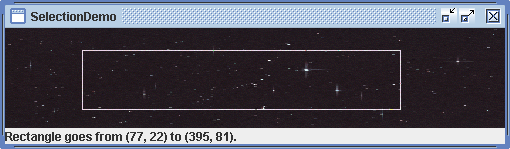
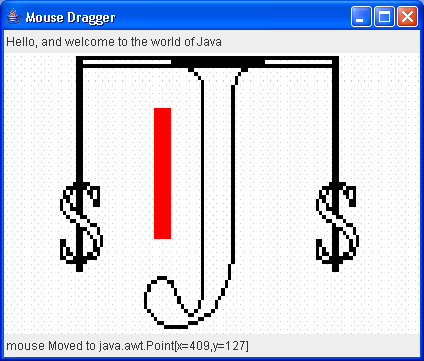
MouseDragClip -- implement simple mouse drag in a window. Speed up by using clipping regions
/*
 * Copyright (c) Ian F. Darwin, http://www.darwinsys.com/, 1996-2002.
 * All rights reserved. Software written by Ian F. Darwin and others.
 * $Id: LICENSE,v 1.8 2004/02/09 03:33:38 ian Exp $
 *
 * Redistribution and use in source and binary forms, with or without
 * modification, are permitted provided that the following conditions
 * are met:
 * 1. Redistributions of source code must retain the above copyright
 *    notice, this list of conditions and the following disclaimer.
 * 2. Redistributions in binary form must reproduce the above copyright
 *    notice, this list of conditions and the following disclaimer in the
 *    documentation and/or other materials provided with the distribution.
 *
 * THIS SOFTWARE IS PROVIDED BY THE AUTHOR AND CONTRIBUTORS ``AS IS''
 * AND ANY EXPRESS OR IMPLIED WARRANTIES, INCLUDING, BUT NOT LIMITED
 * TO, THE IMPLIED WARRANTIES OF MERCHANTABILITY AND FITNESS FOR A PARTICULAR
 * PURPOSE ARE DISCLAIMED.  IN NO EVENT SHALL THE AUTHOR OR CONTRIBUTORS
 * BE LIABLE FOR ANY DIRECT, INDIRECT, INCIDENTAL, SPECIAL, EXEMPLARY, OR
 * CONSEQUENTIAL DAMAGES (INCLUDING, BUT NOT LIMITED TO, PROCUREMENT OF
 * SUBSTITUTE GOODS OR SERVICES; LOSS OF USE, DATA, OR PROFITS; OR BUSINESS
 * INTERRUPTION) HOWEVER CAUSED AND ON ANY THEORY OF LIABILITY, WHETHER IN
 * CONTRACT, STRICT LIABILITY, OR TORT (INCLUDING NEGLIGENCE OR OTHERWISE)
 * ARISING IN ANY WAY OUT OF THE USE OF THIS SOFTWARE, EVEN IF ADVISED OF THE
 * POSSIBILITY OF SUCH DAMAGE.
 *
 * Java, the Duke mascot, and all variants of Sun's Java "steaming coffee
 * cup" logo are trademarks of Sun Microsystems. Sun's, and James Gosling's,
 * pioneering role in inventing and promulgating (and standardizing) the Java
 * language and environment is gratefully acknowledged.
 *
 * The pioneering role of Dennis Ritchie and Bjarne Stroustrup, of AT&T, for
 * inventing predecessor languages C and C++ is also gratefully acknowledged.
 */

////

import java.awt.BorderLayout;
import java.awt.Canvas;
import java.awt.Color;
import java.awt.Container;
import java.awt.Dimension;
import java.awt.Graphics;
import java.awt.Image;
import java.awt.Label;
import java.awt.Point;
import java.awt.Toolkit;
import java.awt.event.MouseEvent;
import java.awt.event.MouseListener;
import java.awt.event.MouseMotionListener;

import javax.swing.JFrame;

/**
 * MouseDragClip -- implement simple mouse drag in a window. Speed up by using
 * clipping regions.
 * <p>
 * This version "works" for very simple cases (only drag down and to the right,
 * never move up or back :-) ).
 *
 * @author Ian Darwin, http://www.darwinsys.com/
 */
public class MouseDragClip extends Canvas implements MouseListener,
    MouseMotionListener {
  /** The Image we are to paint */
  Image curImage;

  /** Kludge for showStatus */
  static Label status;

  /** true if we are in drag */
  boolean inDrag = false;

  /** starting location of a drag */
  int startX = -1, startY = -1;

  /** current location of a drag */
  int curX = -1, curY = -1;

  /** Previous ending of current drag */
  int oldX, oldY;

  /** Start of previous selection, if completed, else -1 */
  int oldStartX = -1, oldStartY = -1;

  /** Size of previous selection, if completed, else -1 */
  int oldWidth = -1, oldHeight = -1;

  // "main" method
  public static void main(String[] av) {
    JFrame f = new JFrame("Mouse Dragger");
    Container cp = f.getContentPane();

    if (av.length < 1) {
      System.err.println("Usage: MouseDragClip imagefile");
      System.exit(1);
    }
    Image im = Toolkit.getDefaultToolkit().getImage(av[0]);

    // create a MouseDragClip object
    MouseDragClip j = new MouseDragClip(im);

    cp.setLayout(new BorderLayout());
    cp.add(BorderLayout.NORTH, new Label(
        "Hello, and welcome to the world of Java"));
    cp.add(BorderLayout.CENTER, j);
    cp.add(BorderLayout.SOUTH, status = new Label());
    status.setSize(f.getSize().width, status.getSize().height);
    f.pack();
    f.setVisible(true);
    f.setDefaultCloseOperation(JFrame.EXIT_ON_CLOSE);
  }

  /** Construct the MouseDragClip object, given an Image */
  public MouseDragClip(Image i) {
    super();
    curImage = i;
    setSize(300, 200);
    addMouseListener(this);
    addMouseMotionListener(this);
  }

  public void showStatus(String s) {
    status.setText(s);
  }

  // Five methods from MouseListener:
  /** Called when the mouse has been clicked on a component. */
  public void mouseClicked(MouseEvent e) {
  }

  /** Called when the mouse enters a component. */
  public void mouseEntered(MouseEvent e) {
  }

  /** Called when the mouse exits a component. */
  public void mouseExited(MouseEvent e) {
  }

  /** Called when the mouse has been pressed. */
  public void mousePressed(MouseEvent e) {
    Point p = e.getPoint();
    System.err.println("mousePressed at " + p);
    startX = p.x;
    startY = p.y;
    inDrag = true;
  }

  /** Called when the mouse has been released. */
  public void mouseReleased(MouseEvent e) {
    inDrag = false;
    System.err.println("SELECTION IS " + startX + "," + startY + " to "
        + curX + "," + curY);
    oldX = -1;
    oldStartX = startX;
    oldStartY = startY;
    oldWidth = curX - startX;
    oldHeight = curY - startY;
  }

  // And two methods from MouseMotionListener:
  public void mouseDragged(MouseEvent e) {
    Point p = e.getPoint();
    // showStatus("mouse dragged to " + p);
    curX = p.x;
    curY = p.y;
    if (inDrag) {
      repaint();
    }
  }

  /**
   * This update() overrides Component's, to call paint() <I>without </I>
   * clearing the screen (which has our main image on it, after all!
   */
  public void update(Graphics g) {
    paint(g);
  }

  public void paint(Graphics g) {
    int w = curX - startX, h = curY - startY;
    Dimension d = getSize();
    if (!inDrag) { // probably first time through(?)
      g.drawImage(curImage, 0, 0, d.width, d.height, this);
      return;
    }
    System.err.println("paint:drawRect @[" + startX + "," + startY
        + "] size " + w + "x" + h);
    // Restore the old background, if previous selection
    if (oldStartX != -1) {
      g.setClip(oldStartX, oldStartY, oldWidth + 1, oldHeight + 1);
      g.drawImage(curImage, 0, 0, d.width, d.height, this);
      oldStartX = -1;
    }
    // Restore the background from previous motions of current drag
    if (oldX != -1) {
      g.setClip(startX, startY, w, h);
      g.drawImage(curImage, 0, 0, d.width + 1, d.height + 1, this);
    }
    // Draw the new rectangle
    g.setClip(0, 0, d.width, d.height);
    g.setColor(Color.red);
    g.drawRect(startX, startY, w, h);
    oldX = curX;
    oldY = curY;
  }

  /**
   * Invoked when the mouse moves; just update the status line with the new
   * coordinates.
   */
  public void mouseMoved(MouseEvent e) {
    showStatus("[" + e.getPoint().x + "," + e.getPoint().y + "]");
  }
}
Related examples in the same category