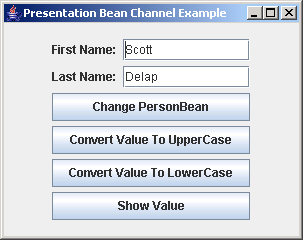
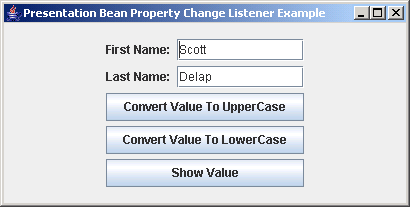
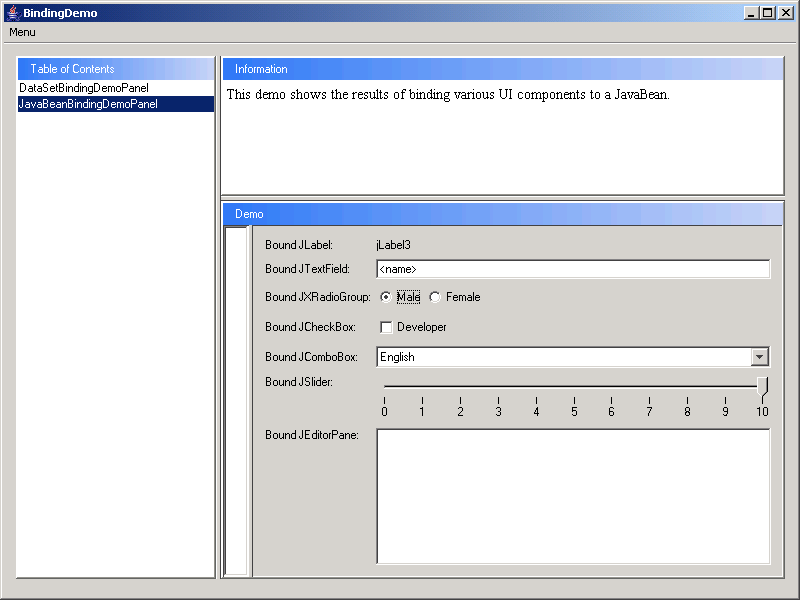
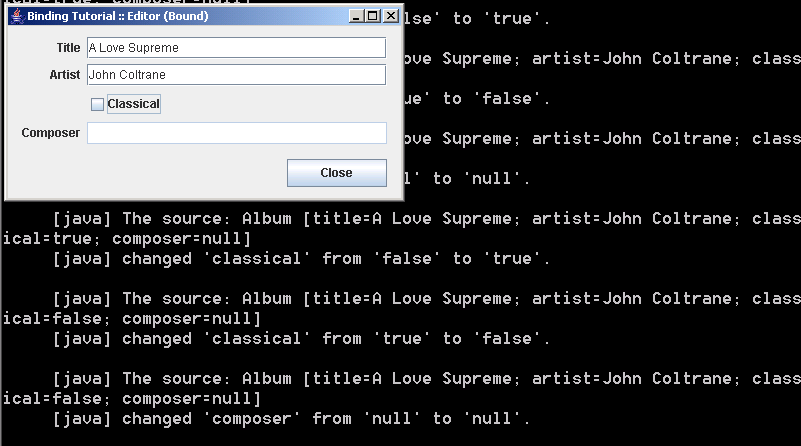
Builds an editor with components bound to the domain object properties
/*
 * Copyright (c) 2002-2005 JGoodies Karsten Lentzsch. All Rights Reserved.
 *
 * Redistribution and use in source and binary forms, with or without
 * modification, are permitted provided that the following conditions are met:
 *
 *  o Redistributions of source code must retain the above copyright notice,
 *    this list of conditions and the following disclaimer.
 *
 *  o Redistributions in binary form must reproduce the above copyright notice,
 *    this list of conditions and the following disclaimer in the documentation
 *    and/or other materials provided with the distribution.
 *
 *  o Neither the name of JGoodies Karsten Lentzsch nor the names of
 *    its contributors may be used to endorse or promote products derived
 *    from this software without specific prior written permission.
 *
 * THIS SOFTWARE IS PROVIDED BY THE COPYRIGHT HOLDERS AND CONTRIBUTORS "AS IS"
 * AND ANY EXPRESS OR IMPLIED WARRANTIES, INCLUDING, BUT NOT LIMITED TO,
 * THE IMPLIED WARRANTIES OF MERCHANTABILITY AND FITNESS FOR A PARTICULAR
 * PURPOSE ARE DISCLAIMED. IN NO EVENT SHALL THE COPYRIGHT OWNER OR
 * CONTRIBUTORS BE LIABLE FOR ANY DIRECT, INDIRECT, INCIDENTAL, SPECIAL,
 * EXEMPLARY, OR CONSEQUENTIAL DAMAGES (INCLUDING, BUT NOT LIMITED TO,
 * PROCUREMENT OF SUBSTITUTE GOODS OR SERVICES; LOSS OF USE, DATA, OR PROFITS;
 * OR BUSINESS INTERRUPTION) HOWEVER CAUSED AND ON ANY THEORY OF LIABILITY,
 * WHETHER IN CONTRACT, STRICT LIABILITY, OR TORT (INCLUDING NEGLIGENCE
 * OR OTHERWISE) ARISING IN ANY WAY OUT OF THE USE OF THIS SOFTWARE,
 * EVEN IF ADVISED OF THE POSSIBILITY OF SUCH DAMAGE.
 */

package com.jgoodies.binding.tutorial.basics;

import java.awt.event.ActionEvent;

import javax.swing.*;
import javax.swing.text.JTextComponent;

import com.jgoodies.binding.adapter.BasicComponentFactory;
import com.jgoodies.binding.beans.PropertyConnector;
import com.jgoodies.binding.tutorial.Album;
import com.jgoodies.binding.tutorial.AlbumPresentationModel;
import com.jgoodies.binding.tutorial.TutorialUtils;
import com.jgoodies.forms.builder.PanelBuilder;
import com.jgoodies.forms.factories.ButtonBarFactory;
import com.jgoodies.forms.layout.CellConstraints;
import com.jgoodies.forms.layout.FormLayout;

/**
 * Builds an editor with components bound to the domain object properties
 * using adapting ValueModels created by a PresentationModel.
 *
 * @author Karsten Lentzsch
 * @version $Revision: 1.7 $
 *
 * @see com.jgoodies.binding.PresentationModel
 */

public class EditorBoundExample {

    /**
     * Holds the edited Album and vends ValueModels that adapt Album properties.
     */
    private final AlbumPresentationModel presentationModel;

    private JTextComponent titleField;
    private JTextComponent artistField;
    private JCheckBox      classicalBox;
    private JTextComponent composerField;
    private JButton        closeButton;


    // Launching **************************************************************

    public static void main(String[] args) {
        try {
            UIManager.setLookAndFeel("com.jgoodies.looks.plastic.PlasticXPLookAndFeel");
        } catch (Exception e) {
            // Likely PlasticXP is not in the class path; ignore.
        }
        JFrame frame = new JFrame();
        frame.setTitle("Binding Tutorial :: Editor (Bound)");
        frame.setDefaultCloseOperation(WindowConstants.EXIT_ON_CLOSE);
        EditorBoundExample example = new EditorBoundExample();
        JComponent panel = example.build();
        frame.getContentPane().add(panel);
        frame.pack();
        TutorialUtils.locateOnScreenCenter(frame);
        frame.setVisible(true);
    }


    // Instance Creation ******************************************************

    /**
     * Constructs an editor on an Album example instance.
     */
    public EditorBoundExample() {
        this(Album.ALBUM1);
    }


    /**
     * Constructs an editor for an Album to be edited.
     *
     * @param album    the Album to be edited
     */
    public EditorBoundExample(Album album) {
        this.presentationModel = new AlbumPresentationModel(album);
    }


    // Initialization *********************************************************

    /**
     * Creates, binds and configures the UI components.
     * Changes are committed to the value models on focus lost.<p>
     *
     * The coding style used here is based on standard Swing components.
     * Therefore we can create and bind the components in one step.
     * And that's the purpose of the BasicComponentFactory class.<p>
     *
     * If you need to bind custom components, for example MyTextField,
     * MyCheckBox, MyComboBox, you can use the more basic Bindings class.
     * The code would then read:<pre>
     * titleField = new MyTextField();
     * Bindings.bind(titleField,
     *               presentationModel.getModel(Album.PROPERTYNAME_TITLE));
     * </pre><p>
     *
     * I strongly recommend to use a custom ComponentFactory,
     * the BasicComponentFactory or the Bindings class. These classes
     * hide details of the binding.
     * So you better <em>not</em> write the following code:<pre>
     * titleField = new JTextField();
     * titleField.setDocument(new DocumentAdapter(
     *     presentationModel.getModel(Album.PROPERTYNAME_TITLE)));
     * </pre>
     */
    private void initComponents() {
        titleField = BasicComponentFactory.createTextField(
                presentationModel.getModel(Album.PROPERTYNAME_TITLE));
        artistField = BasicComponentFactory.createTextField(
                presentationModel.getModel(Album.PROPERTYNAME_ARTIST));
        classicalBox = BasicComponentFactory.createCheckBox(
                presentationModel.getModel(Album.PROPERTYNAME_CLASSICAL),
                "Classical");
        composerField = BasicComponentFactory.createTextField(
                presentationModel.getModel(Album.PROPERTYNAME_COMPOSER));
        closeButton = new JButton(new CloseAction());

        boolean composerEnabled = presentationModel.isComposerEnabled();
        composerField.setEnabled(composerEnabled);
    }


    /**
     * Registers a listener with the presentation model's "composerEnabled"
     * property to switch the composer field's enablement. For demonstration
     * purposes a listener is registered that writes changes to the console.
     */
    private void initEventHandling() {
        // Synchronize the composer field enablement with 'composerEnabled'.
        PropertyConnector.connect(
                composerField, "enabled",
                presentationModel, AlbumPresentationModel.PROPERTYNAME_COMPOSER_ENABLED);

        // Report changes in all bound Album properties.
        presentationModel.addBeanPropertyChangeListener(
                TutorialUtils.createDebugPropertyChangeListener());
    }


    // Building ***************************************************************

    /**
     * Builds and returns the panel.
     *
     * @return the built panel
     */
    public JComponent build() {
        initComponents();
        initEventHandling();

        FormLayout layout = new FormLayout(
                "right:pref, 3dlu, 150dlu:grow",
                "p, 3dlu, p, 3dlu, p, 3dlu, p, 9dlu, p");

        PanelBuilder builder = new PanelBuilder(layout);
        builder.setDefaultDialogBorder();
        CellConstraints cc = new CellConstraints();

        builder.addLabel("Title",      cc.xy (1, 1));
        builder.add(titleField,        cc.xy (3, 1));
        builder.addLabel("Artist",     cc.xy (1, 3));
        builder.add(artistField,       cc.xy (3, 3));
        builder.add(classicalBox,      cc.xy (3, 5));
        builder.addLabel("Composer",   cc.xy (1, 7));
        builder.add(composerField,     cc.xy (3, 7));
        builder.add(buildButtonBar(),  cc.xyw(1, 9, 3));

        return builder.getPanel();
    }


    private JComponent buildButtonBar() {
        return ButtonBarFactory.buildRightAlignedBar(
                closeButton);
    }


    // Presentation Model *****************************************************

    /**
     * An Action that prints the current bean to the System console
     * before it exists the System.
     *
     * Actions belong to the presentation model. However, to keep
     * this tutorial small I've chosen to reuse a single presentation model
     * for all album examples and so, couldn't put in different close actions.
     */
    private final class CloseAction extends AbstractAction {

        private CloseAction() {
            super("Close");
        }

        public void actionPerformed(ActionEvent e) {
            System.out.println(presentationModel.getBean());
            System.exit(0);
        }
    }


}
 binding.zip( 506 k)
Related examples in the same category