Demonstrates GridLayout : Layout « Swing JFC « Java

Java
1. 2D Graphics GUI
2. 3D
3. Advanced Graphics
4. Ant
5. Apache Common
6. Chart
7. Collections Data Structure
8. Database SQL JDBC
9. Design Pattern
10. Development Class
11. Email
12. Event
13. File Input Output
14. Game
15. Hibernate
16. J2EE
17. J2ME
18. JDK 6
19. JSP
20. JSTL
21. Language Basics
22. Network Protocol
23. PDF RTF
24. Regular Expressions
25. Security
26. Servlets
27. Spring
28. Swing Components
29. Swing JFC
30. SWT JFace Eclipse
31. Threads
32. Tiny Application
33. Velocity
34. Web Services SOA
35. XML
Microsoft Office Word 2007 Tutorial
Java Tutorial
Java Source Code / Java Documentation
Java Open Source
Jar File Download
Java Articles
Java Products
Java by API
C# / C Sharp
C# / CSharp Tutorial
ASP.Net
JavaScript DHTML
JavaScript Tutorial
JavaScript Reference
HTML / CSS
HTML CSS Reference
C / ANSI-C
C Tutorial
C++
C++ Tutorial
PHP
Python
SQL Server / T-SQL
Oracle PL / SQL
Oracle PL/SQL Tutorial
PostgreSQL
SQL / MySQL
MySQL Tutorial
VB.Net
VB.Net Tutorial
Java » Swing JFC » LayoutScreenshots 
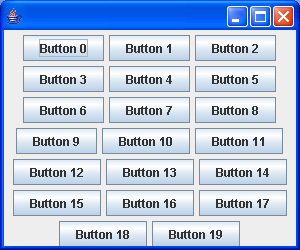
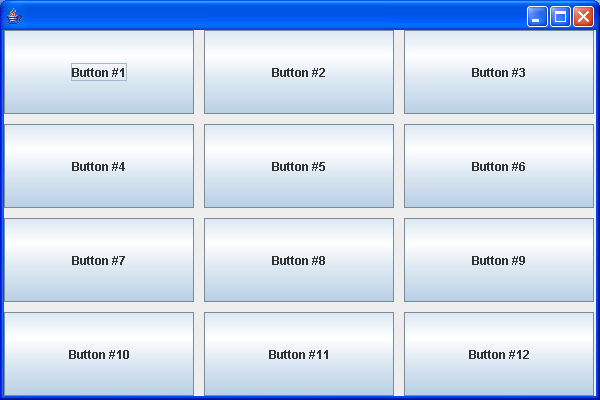
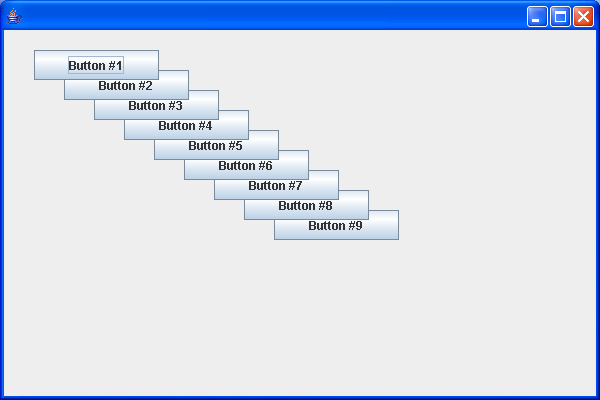
Demonstrates GridLayout
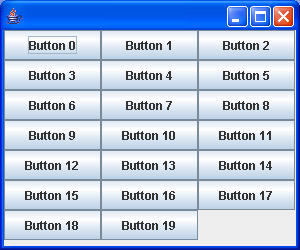

// : c14:GridLayout1.java
// Demonstrates GridLayout.
// <applet code=GridLayout1 width=300 height=250></applet>
// From 'Thinking in Java, 3rd ed.' (c) Bruce Eckel 2002
// www.BruceEckel.com. See copyright notice in CopyRight.txt.

import java.awt.Container;
import java.awt.GridLayout;

import javax.swing.JApplet;
import javax.swing.JButton;
import javax.swing.JFrame;

public class GridLayout1 extends JApplet {
  public void init() {
    Container cp = getContentPane();
    cp.setLayout(new GridLayout(73));
    for (int i = 0; i < 20; i++)
      cp.add(new JButton("Button " + i));
  }

  public static void main(String[] args) {
    run(new GridLayout1()300250);
  }

  public static void run(JApplet applet, int width, int height) {
    JFrame frame = new JFrame();
    frame.setDefaultCloseOperation(JFrame.EXIT_ON_CLOSE);
    frame.getContentPane().add(applet);
    frame.setSize(width, height);
    applet.init();
    applet.start();
    frame.setVisible(true);
  }
///:~


Related examples in the same category
1. Vertical and horizontal BoxLayoutsVertical and horizontal BoxLayouts
2. Box Layout: Adding struts.Box Layout: Adding struts.
3. Using GlueUsing Glue
4. Rigid areas are like pairs of strutsRigid areas are like pairs of struts
5. Demonstrates BorderLayoutDemonstrates BorderLayout
6. Demonstrates FlowLayoutDemonstrates FlowLayout
7. A test of the BoxLayout manager using the Box utility classA test of the BoxLayout manager using the Box utility class
8. A test of the box layout manager using the Box utility class 2A test of the box layout manager using the Box utility class 2
9. A test of the OverlayLayout manager allowing experimentationA test of the OverlayLayout manager allowing experimentation
10. Box layout manager using the Box utility classBox layout manager using the Box utility class
11. BoxLayout demo 1BoxLayout demo 1
12. A demonstration of the SpringLayout class
13. A test of the BoxLayout manager using the Box utility class 3A test of the BoxLayout manager using the Box utility class 3
14. BoxLayout AlignmentBoxLayout Alignment
15. BoxLayout alignment 2BoxLayout alignment 2
16. BoxLayout Component alignmentBoxLayout Component alignment
17. BoxLayout X Y alignmentBoxLayout X Y alignment
18. BoxLayout: Glue SampleBoxLayout: Glue Sample
19. Layout: Overlay SampleLayout: Overlay Sample
20. BoxLayout: setAlignmentX setAlignmentYBoxLayout: setAlignmentX setAlignmentY
21. Component AlignmentComponent Alignment
22. GridLayout Demo 3GridLayout Demo 3
23. BoxLayout SampleBoxLayout Sample
24. BoxLayout Demo 3BoxLayout Demo 3
25. Various layoutsVarious layouts
26. BoxLayout Demo 4BoxLayout Demo 4
27. GridLayout DemoGridLayout Demo
28. CardLayout DemoCardLayout Demo
29. Laying Out a Screen with CardLayoutLaying Out a Screen with CardLayout
30. Laying out a screen with SpringLayoutLaying out a screen with SpringLayout
31. BorderLayout PaneBorderLayout Pane
32. BoxLayout PaneBoxLayout Pane
33. FlowLayout PaneFlowLayout Pane
34. GridLayout PaneGridLayout Pane
35. NullLayout PaneNullLayout Pane
36. Simpler CardLayout demo
37. Use SpringLayout to create a single row of componentsUse SpringLayout to create a single row of components
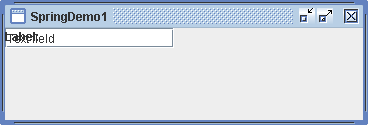
38.  Spring Demo 1 Spring Demo 1
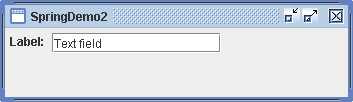
39. Spring Demo 2Spring Demo 2
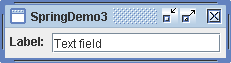
40. Spring Demo 3Spring Demo 3
41. Spring Demo 4Spring Demo 4
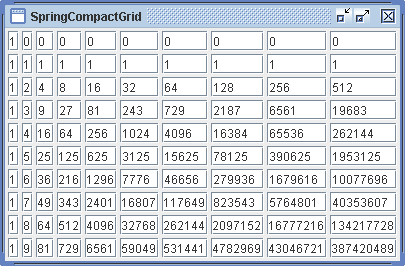
42. Spring Compact GridSpring Compact Grid
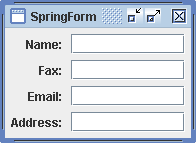
43. Spring Form Spring Form
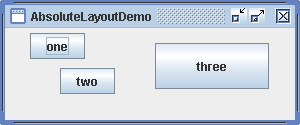
44. Absolute Layout DemoAbsolute Layout Demo
45. A horizontal layout layout manager that allocates horizontal space in specified proportions
46. A vertical layout manager similar to java.awt.FlowLayout
ww__w___.j___av_a_2___s_.c_o__m__ | Contact Us
Copyright 2003 - 08 Demo Source and Support. All rights reserved.
All other trademarks are property of their respective owners.