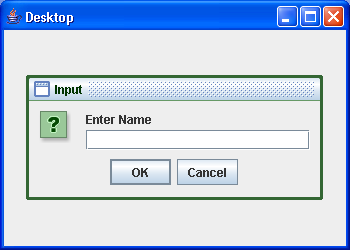
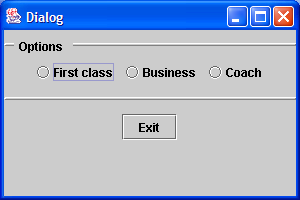
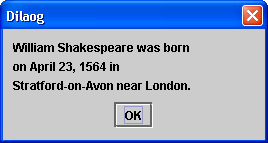
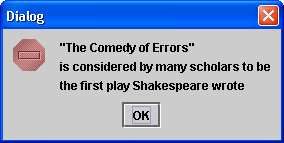
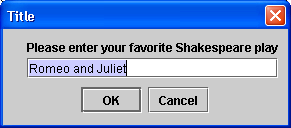
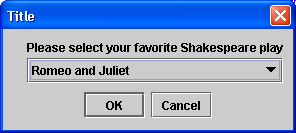
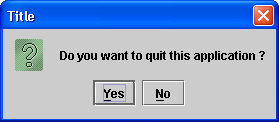
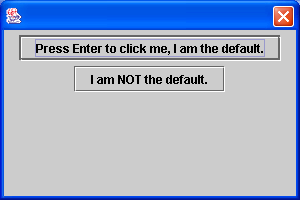
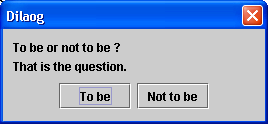
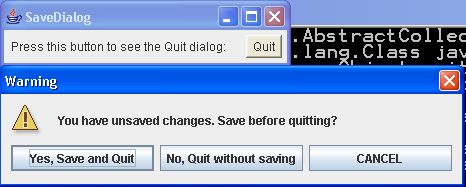
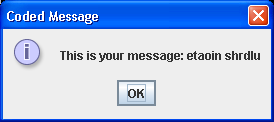
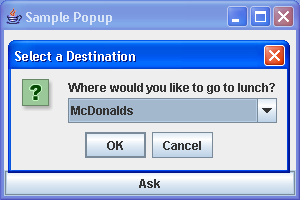
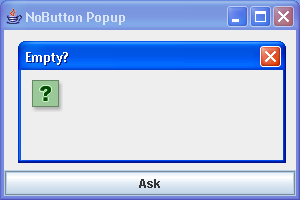
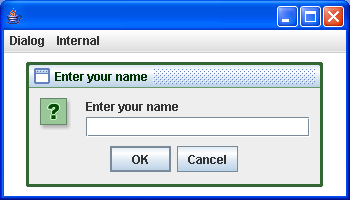
See the differences between various types of option panes
/*
Java Swing, 2nd Edition
By Marc Loy, Robert Eckstein, Dave Wood, James Elliott, Brian Cole
ISBN: 0-596-00408-7
Publisher: O'Reilly
*/

// OptPaneComparison.java
//A quick utility class to help you see the differences between various
//types of option panes, both via internal frames and using standalone
//popups.
//

import java.awt.event.ActionEvent;
import java.awt.event.ActionListener;
import java.beans.PropertyChangeEvent;
import java.beans.PropertyChangeListener;

import javax.swing.JDesktopPane;
import javax.swing.JDialog;
import javax.swing.JFrame;
import javax.swing.JInternalFrame;
import javax.swing.JMenu;
import javax.swing.JMenuBar;
import javax.swing.JMenuItem;
import javax.swing.JOptionPane;

public class OptPaneComparison extends JFrame {

  protected JOptionPane optPane;

  public static void main(String[] args) {
    JFrame f = new OptPaneComparison("Enter your name");
    f.setVisible(true);
  }

  public OptPaneComparison(final String message) {
    setDefaultCloseOperation(EXIT_ON_CLOSE);

    final int msgType = JOptionPane.QUESTION_MESSAGE;
    final int optType = JOptionPane.OK_CANCEL_OPTION;
    final String title = message;

    setSize(350, 200);

    // Create a desktop for internal frames
    final JDesktopPane desk = new JDesktopPane();
    setContentPane(desk);

    // Add a simple menu bar
    JMenuBar mb = new JMenuBar();
    setJMenuBar(mb);

    JMenu menu = new JMenu("Dialog");
    JMenu imenu = new JMenu("Internal");
    mb.add(menu);
    mb.add(imenu);
    final JMenuItem construct = new JMenuItem("Constructor");
    final JMenuItem stat = new JMenuItem("Static Method");
    final JMenuItem iconstruct = new JMenuItem("Constructor");
    final JMenuItem istat = new JMenuItem("Static Method");
    menu.add(construct);
    menu.add(stat);
    imenu.add(iconstruct);
    imenu.add(istat);

    // Create our JOptionPane. We're asking for input, so we call
    // setWantsInput.
    // Note that we cannot specify this via constructor parameters.
    optPane = new JOptionPane(message, msgType, optType);
    optPane.setWantsInput(true);

    // Add a listener for each menu item that will display the appropriate
    // dialog/internal frame
    construct.addActionListener(new ActionListener() {
      public void actionPerformed(ActionEvent ev) {

        // Create and display the dialog
        JDialog d = optPane.createDialog(desk, title);
        d.setVisible(true);

        respond(getOptionPaneValue());
      }
    });

    stat.addActionListener(new ActionListener() {
      public void actionPerformed(ActionEvent ev) {
        String s = JOptionPane.showInputDialog(desk, message, title,
            msgType);
        respond(s);
      }
    });

    iconstruct.addActionListener(new ActionListener() {
      public void actionPerformed(ActionEvent ev) {

        // Create and display the dialog
        JInternalFrame f = optPane.createInternalFrame(desk, title);
        f.setVisible(true);

        // Listen for the frame to close before getting the value from
        // it.
        f.addPropertyChangeListener(new PropertyChangeListener() {
          public void propertyChange(PropertyChangeEvent ev) {
            if ((ev.getPropertyName()
                .equals(JInternalFrame.IS_CLOSED_PROPERTY))
                && (ev.getNewValue() == Boolean.TRUE)) {
              respond(getOptionPaneValue());
            }
          }
        });
      }
    });

    istat.addActionListener(new ActionListener() {
      public void actionPerformed(ActionEvent ev) {
        String s = JOptionPane.showInternalInputDialog(desk, message,
            title, msgType);
        respond(s);
      }
    });
  }

  // This method gets the selected value from the option pane and resets the
  // value to null so we can use it again.
  protected String getOptionPaneValue() {

    // Get the result . . .
    Object o = optPane.getInputValue();
    String s = "<Unknown>";
    if (o != null)
      s = (String) o;

    Object val = optPane.getValue(); // which button?

    // Check for cancel button or closed option
    if (val != null) {
      if (val instanceof Integer) {
        int intVal = ((Integer) val).intValue();
        if ((intVal == JOptionPane.CANCEL_OPTION)
            || (intVal == JOptionPane.CLOSED_OPTION))
          s = "<Cancel>";
      }
    }

    // A little trick to clean the text field. It is only updated if
    // the initial value gets changed. To do this, we'll set it to a
    // dummy value ("X") and then clear it.
    optPane.setValue("");
    optPane.setInitialValue("X");
    optPane.setInitialValue("");

    return s;
  }

  protected void respond(String s) {
    if (s == null)
      System.out.println("Never mind.");
    else
      System.out.println("You entered: " + s);
  }
}
Related examples in the same category