Show Font Dialog Help : FontDialog « GUI Windows Forms « C# / CSharp Tutorial

C# / CSharp Tutorial
1. Language Basics
2. Data Type
3. Operator
4. Statement
5. String
6. struct
7. Class
8. Operator Overload
9. delegate
10. Attribute
11. Data Structure
12. Assembly
13. Date Time
14. Development
15. File Directory Stream
16. Preprocessing Directives
17. Regular Expression
18. Generic
19. Reflection
20. Thread
21. I18N Internationalization
22. GUI Windows Forms
23. 2D
24. Design Patterns
25. Windows
26. XML
27. ADO.Net
28. Network
29. Directory Services
30. Security
31. unsafe
Java
Java Tutorial
Java Source Code / Java Documentation
Java Open Source
Jar File Download
Java Articles
Java Products
Java by API
C# / C Sharp
ASP.Net
JavaScript DHTML
JavaScript Tutorial
JavaScript Reference
HTML / CSS
HTML CSS Reference
C / ANSI-C
C Tutorial
C++
C++ Tutorial
PHP
Python
SQL Server / T-SQL
SQL Server / T-SQL Tutorial
Oracle PL / SQL
Oracle PL/SQL Tutorial
PostgreSQL
SQL / MySQL
MySQL Tutorial
VB.Net
VB.Net Tutorial
Flash / Flex / ActionScript
VBA / Excel / Access / Word
Microsoft Office PowerPoint 2007 Tutorial
Microsoft Office Excel 2007 Tutorial
Microsoft Office Word 2007 Tutorial
C# / CSharp Tutorial » GUI Windows Forms » FontDialog 
22. 48. 4. Show Font Dialog Help
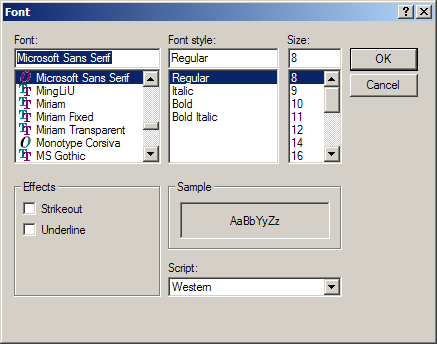
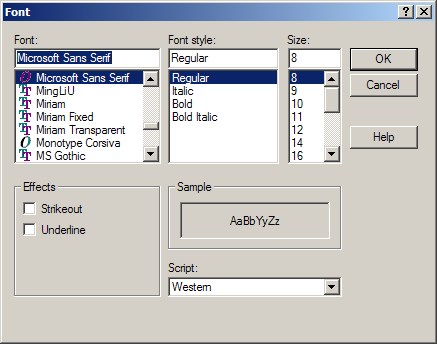
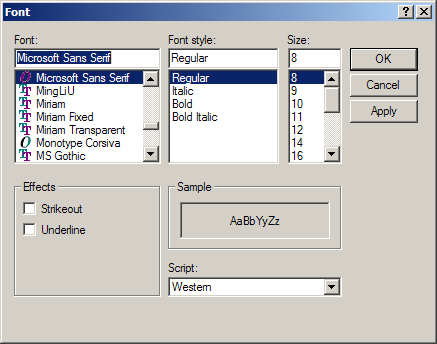
Show Font Dialog Help
using System;
using System.Drawing;
using System.Collections;
using System.ComponentModel;
using System.Windows.Forms;
using System.Data;

public class FontDialogDisplayHelp : System.Windows.Forms.Form
{
  private System.ComponentModel.Container components = null;
  private System.Windows.Forms.FontDialog fontDlg = new System.Windows.Forms.FontDialog();    
  private Font currFont = new Font("Times New Roman"12);

  public FontDialogDisplayHelp()
  {
    InitializeComponent();
    fontDlg.ShowHelp = true;    
  }

  protected override void Disposebool disposing )
  {
    ifdisposing )
    {
      if (components != null
      {
        components.Dispose();
      }
    }
    base.Disposedisposing );
  }


  private void InitializeComponent()
  {
    this.AutoScaleBaseSize = new System.Drawing.Size(513);
    this.ClientSize = new System.Drawing.Size(292273);
    this.MouseUp += new System.Windows.Forms.MouseEventHandler(this.FontDialogDisplayHelp_MouseUp);
    this.Paint += new System.Windows.Forms.PaintEventHandler(this.FontDialogDisplayHelp_Paint);

  }
  [STAThread]
  static void Main() 
  {
    Application.Run(new FontDialogDisplayHelp());
  }

  private void FontDialogDisplayHelp_Paint(object sender, System.Windows.Forms.PaintEventArgs e)
  {
    Graphics g = e.Graphics;
    g.DrawString("Testing...", currFont, new SolidBrush(Color.Black)00);  
  }

  private void FontDialogDisplayHelp_MouseUp(object sender, System.Windows.Forms.MouseEventArgs e)
  {
    if (fontDlg.ShowDialog() != DialogResult.Cancel)
    {
      currFont = fontDlg.Font;
      Invalidate();
    }
  }
}
22. 48. FontDialog
22. 48. 1. FontDialog Apply eventFontDialog Apply event
22. 48. 2. Set the label font to a font selected from a FontDialog
22. 48. 3. Font Dialog: Display and get selected fontFont Dialog: Display and get selected font
22. 48. 4. Show Font Dialog HelpShow Font Dialog Help
22. 48. 5. FontDialog: set color, Apply event
w___w_w.___j_av___a2__s__.___c__o___m___ | Contact Us
Copyright 2003 - 08 Demo Source and Support. All rights reserved.
All other trademarks are property of their respective owners.