Home
Microsoft Office Excel 2007 Tutorial
Introduction
Editing
Format Style
Table
Chart
Formula
Workbook Worksheet
Wordart Clip Art Shape Picture
PivotTable PivotChart
Data Analysis
Macro ActiveX Add in
Security
Collaboration
Database functions
Date Time functions
Engineering functions
Information functions
Logical functions
Lookup Reference functions
Math Trigonometry functions
Statistical functions
Text functions
Info « Information functions « Microsoft Office Excel 2007 Tutorial
Microsoft Office Excel 2007 Tutorial
Information functions
Info
17.3.Info
17.3.1.
INFO(type_text) returns information about the current environment
17.3.2.
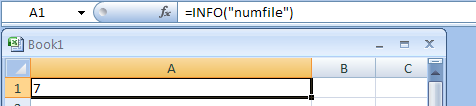
=INFO("numfile") return the number of active worksheets
17.3.3.
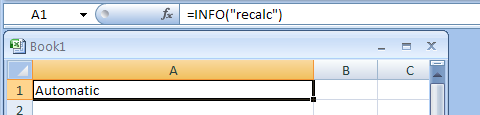
=INFO("recalc") returns the recalculation mode for the workbook
17.3.4.
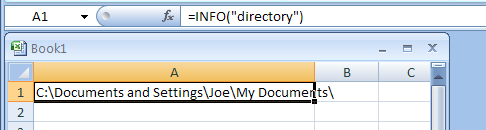
=INFO("directory") returns the path of the current directory.
17.3.5.
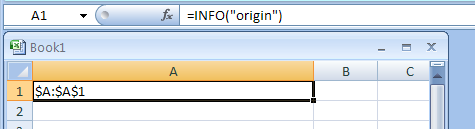
=INFO("origin") returns the address of the cell at the top and to the left of the scrollable area
17.3.6.
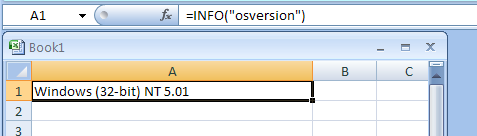
=INFO("osversion") returns the name of the current operating system
17.3.7.
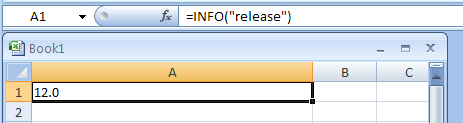
=INFO("release") returns the version number of Excel being run
17.3.8.
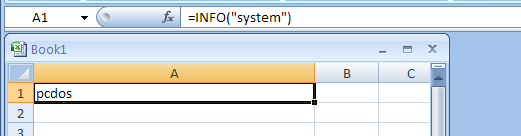
=INFO("system") returns the name of the operating environment: either mac or pcdos
17.3.9.
Combine IF and INFO formula to check the Excel version