from Tkinter import *
import Pmw

class CopyTextWindow( Frame ):
   def __init__( self ):
      Frame.__init__( self )
      Pmw.initialise()
      self.pack( expand = YES, fill = BOTH )
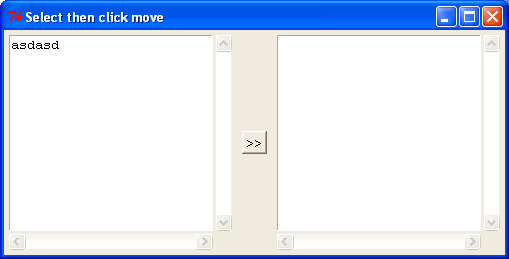
      self.master.title( "Select then click move" )

      self.text1 = Pmw.ScrolledText( self, text_width = 25, text_height = 12, text_wrap = WORD,
         hscrollmode = "static", vscrollmode = "static" )
      self.text1.pack( side = LEFT, expand = YES, fill = BOTH, padx = 5, pady = 5 )

      self.copyButton = Button( self, text = ">>", command = self.copyText )
      self.copyButton.pack( side = LEFT, padx = 5, pady = 5 )

      self.text2 = Pmw.ScrolledText( self, text_state = DISABLED,
         text_width = 25, text_height = 12, text_wrap = WORD,
         hscrollmode = "static", vscrollmode = "static" )
      self.text2.pack( side = LEFT, expand = YES, fill = BOTH, padx = 5, pady = 5 )

   def copyText( self ):
      self.text2.settext( self.text1.get( SEL_FIRST, SEL_LAST ) )

CopyTextWindow().mainloop()
| 18.29.ScrolledText |
| 18.29.1. | Copying selected text from one text area to another. | |