Demonstrating the Drawing of an Image with a Convolve Operation : Image « 2D Graphics GUI « Java

Java
1. 2D Graphics GUI
2. 3D
3. Advanced Graphics
4. Ant
5. Apache Common
6. Chart
7. Collections Data Structure
8. Database SQL JDBC
9. Design Pattern
10. Development Class
11. Email
12. Event
13. File Input Output
14. Game
15. Hibernate
16. J2EE
17. J2ME
18. JDK 6
19. JSP
20. JSTL
21. Language Basics
22. Network Protocol
23. PDF RTF
24. Regular Expressions
25. Security
26. Servlets
27. Spring
28. Swing Components
29. Swing JFC
30. SWT JFace Eclipse
31. Threads
32. Tiny Application
33. Velocity
34. Web Services SOA
35. XML
Microsoft Office Word 2007 Tutorial
Java Tutorial
Java Source Code / Java Documentation
Java Open Source
Jar File Download
Java Articles
Java Products
Java by API
C# / C Sharp
C# / CSharp Tutorial
ASP.Net
JavaScript DHTML
JavaScript Tutorial
JavaScript Reference
HTML / CSS
HTML CSS Reference
C / ANSI-C
C Tutorial
C++
C++ Tutorial
PHP
Python
SQL Server / T-SQL
Oracle PL / SQL
Oracle PL/SQL Tutorial
PostgreSQL
SQL / MySQL
MySQL Tutorial
VB.Net
VB.Net Tutorial
Java » 2D Graphics GUI » ImageScreenshots 
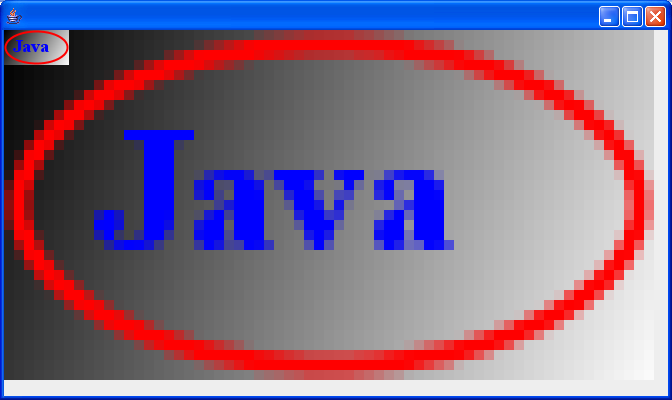
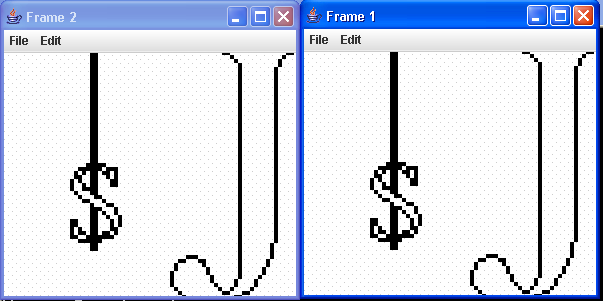
Demonstrating the Drawing of an Image with a Convolve Operation

import java.awt.Frame;
import java.awt.Graphics;
import java.awt.Graphics2D;
import java.awt.Image;
import java.awt.geom.AffineTransform;
import java.awt.image.BufferedImage;
import java.awt.image.ConvolveOp;
import java.awt.image.Kernel;

import javax.swing.ImageIcon;
import javax.swing.JFrame;

public class ConvolveIt extends JFrame {
  Image image = getImage("java2s.jpg");

  private static final float[] SHARP = 0.0f, -1.0f0.0f, -1.0f5.0f,
      -1.0f0.0f, -1.0f0.0f };

  BufferedImage bufferedImage;

  ConvolveOp convolveOp;

  public Image getImage(String imageFile) {
    ImageIcon icon = new ImageIcon(imageFile);
    return icon.getImage();
  }

  public ConvolveIt() {
    int width = image.getWidth(this);
    int height = image.getHeight(this);
    bufferedImage = new BufferedImage(width, height,
        BufferedImage.TYPE_INT_RGB);
    Graphics2D big = bufferedImage.createGraphics();
    AffineTransform affineTransform = new AffineTransform();
    big.drawImage(image, affineTransform, this);
    Kernel kernel = new Kernel(33, SHARP);
    convolveOp = new ConvolveOp(kernel, ConvolveOp.EDGE_NO_OP, null);
  }

  public void paint(Graphics g) {
    Graphics2D g2d = (Graphics2Dg;
    if (bufferedImage != null) {
      g2d.drawImage(bufferedImage, convolveOp, 1030);
    }
  }

  public static void main(String args[]) {
    Frame f = new ConvolveIt();
    f.setTitle("ConvolveIt");
    f.setSize(300250);
    f.show();
  }
}


Related examples in the same category
1. Image size Image size
2. Image demoImage demo
3. Paint an IconPaint an Icon
4. Image Processing: Brightness and ContrastImage Processing: Brightness and Contrast
5. Image with mouse drag and move eventImage with mouse drag and move event
6. Image Animation and ThreadImage Animation and Thread
7. Image Color Gray EffectImage Color Gray Effect
8. Image BufferingImage Buffering
9. Image Effect: CombineImage Effect: Combine
10. AffineTransform demoAffineTransform demo
11. Image Effect: Rotate Image using DataBufferImage Effect: Rotate Image using DataBuffer
12. Image Effect: Sharpen, blurImage Effect: Sharpen, blur
13. Image scale
14. Image crop
15. Demonstrating Use of the Image I/O Library
16. Adding Image-Dragging Behavior
17. Sending Image Objects through the ClipboardSending Image Objects through the Clipboard
18. Anti AliasAnti Alias
19. Image OperationsImage Operations
20. Image ViewerImage Viewer
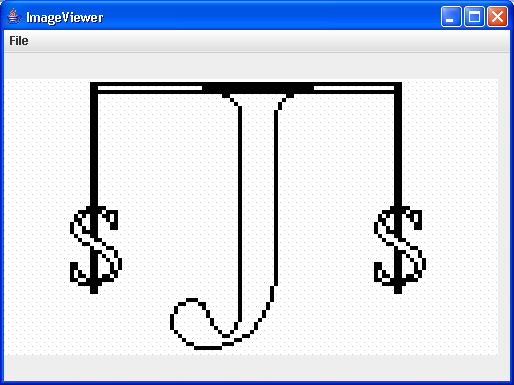
21. Standalone Image Viewer - works with any AWT-supported format
22. Toolkit.getImage() which works the same in either Applet or Application
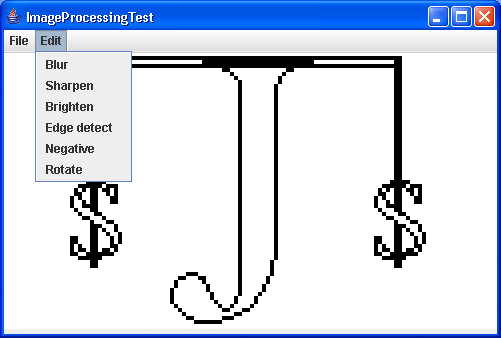
23. Image Processing Test Image Processing Test
24. Image Transfer TestImage Transfer Test
25. Double Buffered Image
26. Graband Fade: displays image and fades to black
27. Graband Fade with Rasters
28. Rotate Image 45 Degrees
29. Convert java.awt.image.BufferedImage to java.awt.Image
30. Filter image by multiplier its red, green and blue color
31. Drags within the imageDrags within the image
w_ww_.__jav__a2___s___.__com___ | Contact Us
Copyright 2003 - 08 Demo Source and Support. All rights reserved.
All other trademarks are property of their respective owners.