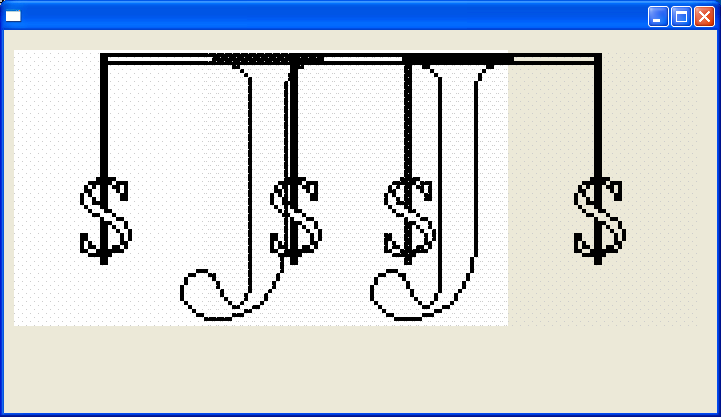
Image Animation and Thread
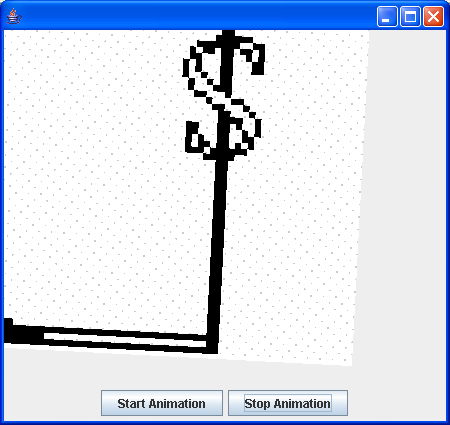
import java.awt.BorderLayout;
import java.awt.Color;
import java.awt.Container;
import java.awt.Dimension;
import java.awt.Graphics;
import java.awt.Graphics2D;
import java.awt.Image;
import java.awt.MediaTracker;
import java.awt.event.ActionEvent;
import java.awt.event.ActionListener;
import java.awt.event.WindowAdapter;
import java.awt.event.WindowEvent;
import java.awt.geom.AffineTransform;
import java.awt.image.BufferedImage;

import javax.swing.JButton;
import javax.swing.JFrame;
import javax.swing.JLabel;
import javax.swing.JPanel;

public class BufferedImageThread extends JFrame {
  AnimationCanvas canvas;

  JButton startButton, stopButton;

  public BufferedImageThread() {
    super();
    Container container = getContentPane();

    canvas = new AnimationCanvas();
    container.add(canvas);

    startButton = new JButton("Start Animation");
    startButton.addActionListener(new ButtonListener());
    stopButton = new JButton("Stop Animation");
    stopButton.addActionListener(new ButtonListener());
    JPanel panel = new JPanel();
    panel.add(startButton);
    panel.add(stopButton);
    container.add(BorderLayout.SOUTH, panel);

    addWindowListener(new WindowAdapter() {
      public void windowClosing(WindowEvent e) {
        System.exit(0);
      }
    });
    setSize(450, 425);
    setVisible(true);
  }

  class ButtonListener implements ActionListener {
    public void actionPerformed(ActionEvent e) {
      JButton temp = (JButton) e.getSource();

      if (temp.equals(startButton)) {
        canvas.start();
      } else if (temp.equals(stopButton)) {
        canvas.stop();
      }
    }
  }

  public static void main(String arg[]) {
    new BufferedImageThread();
  }
}

class AnimationCanvas extends JLabel implements Runnable {
  Thread thread;

  Image image;

  BufferedImage bi;

  double x, y, xi, yi;

  int rotate;

  double scale;

  int UP = 0;

  int DOWN = 1;

  int scaleDirection;

  AnimationCanvas() {
    setBackground(Color.green);
    setSize(450, 400);

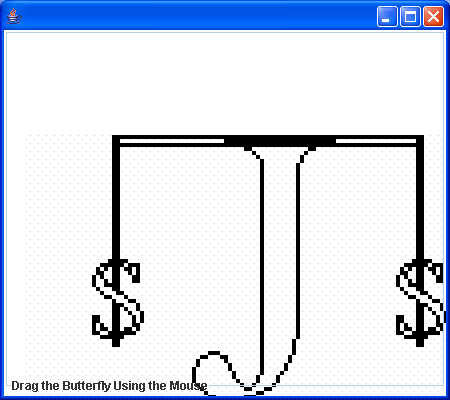
    image = getToolkit().getImage("largeJava2sLogo.gif");

    MediaTracker mt = new MediaTracker(this);
    mt.addImage(image, 1);
    try {
      mt.waitForAll();
    } catch (Exception e) {
      System.out.println("Exception while loading image.");
    }

    if (image.getWidth(this) == -1) {
      System.out.println("No gif file");
      System.exit(0);
    }

    rotate = (int) (Math.random() * 360);
    scale = Math.random() * 1.5;
    scaleDirection = DOWN;

    xi = 50.0;
    yi = 50.0;

  }

  public void step(int w, int h) {
    x += xi;
    y += yi;

    if (x > w) {
      x = w - 1;
      xi = Math.random() * -w / 32;
    }
    if (x < 0) {
      x = 2;
      xi = Math.random() * w / 32;
    }
    if (y > h) {
      y = h - 2;
      yi = Math.random() * -h / 32;
    }
    if (y < 0) {
      y = 2;
      yi = Math.random() * h / 32;
    }

    if ((rotate += 5) == 360) {
      rotate = 0;
    }
    if (scaleDirection == UP) {
      if ((scale += 0.5) > 1.5) {
        scaleDirection = DOWN;
      }
    } else if (scaleDirection == DOWN) {
      if ((scale -= .05) < 0.5) {
        scaleDirection = UP;
      }
    }
  }

  public void paintComponent(Graphics g) {
    super.paintComponent(g);
    Dimension d = getSize();

    bi = new BufferedImage(d.width, d.height, BufferedImage.TYPE_INT_ARGB);
    Graphics2D big = bi.createGraphics();

    step(d.width, d.height);

    AffineTransform at = new AffineTransform();
    at.setToIdentity();
    at.translate(x, y);
    at.rotate(Math.toRadians(rotate));
    at.scale(scale, scale);
    big.drawImage(image, at, this);

    Graphics2D g2D = (Graphics2D) g;
    g2D.drawImage(bi, 0, 0, null);

    big.dispose();
  }

  public void start() {
    thread = new Thread(this);
    thread.setPriority(Thread.MIN_PRIORITY);
    thread.start();
  }

  public void stop() {
    if (thread != null)
      thread.interrupt();
    thread = null;
  }

  public void run() {
    Thread me = Thread.currentThread();
    while (thread == me) {
      repaint();
    }
    thread = null;
  }
}
Related examples in the same category