Play the media object 3
/*

Java Media APIs: Cross-Platform Imaging, Media and Visualization
Alejandro Terrazas
Sams, Published November 2002,
ISBN 0672320940
*/

/*******************************************************************************
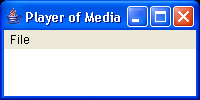
 * A "Bare Bones" Player Applet (BBP Applet) that will play the media object
 * indicated in the "media2Play" property of the Applet tag.
 *
 * <p>
 * The applet demonstrates the relative ease with which the JMF can be employed,
 * particularly for playing. The applet a minimal player, placing the controls
 * for the player and the visual component for the played object within the
 * Applet. The object plays once, but can be controlled by the user through the
 * control panel provided.
 *
 * <p>
 * The tag for the Applet should look something like:
 *
 * <!-- Sample HTML <applet code="BBPApplet.class" width=300 height=400> <param
 * name="media2Play" value="myVideo.mpg"> </applet> -->
 *
 * @author Spike Barlow
 ******************************************************************************/

import java.applet.*;
import java.awt.*;
import java.awt.event.*;
import java.net.*;
import java.io.*;
import java.util.*;
import javax.media.*;
import javax.media.control.*;

public class ControlQueryPApplet extends Applet implements ControllerListener {

  /***************************************************************************
   * Object to play the media. Only attribute that the Applet really needs.
   **************************************************************************/
  protected Player player;

  /***************************************************************************
   * The name of the media to be played.
   **************************************************************************/
  protected String nameOfMedia2Play;

  /***************************************************************************
   * Name of the Property field within the applet tage indicating the name of
   * the media to play.
   **************************************************************************/
  private static final String MEDIA_NAME_PROPERTY = "media2Play";

  /***************************************************************************
   * Object describing the location of the media to be played.
   **************************************************************************/
  protected MediaLocator locator;

  protected SystemTimeBase timer;

  /***************************************************************************
   * Initialise the applet by attempting to create and start a Player object
   * capable of playing the media specified in the applet tag.
   **************************************************************************/
  public void init() {

    setLayout(new BorderLayout());
    setBackground(Color.lightGray);
    try {
      nameOfMedia2Play = (new URL(getDocumentBase(),
          getParameter(MEDIA_NAME_PROPERTY))).toExternalForm();
      locator = new MediaLocator(nameOfMedia2Play);
      Manager.setHint(Manager.PLUGIN_PLAYER, new Boolean(true));
      player = Manager.createPlayer(locator);
      player.addControllerListener(this);
      timer = new SystemTimeBase();
      player.start();
    } catch (Exception e) {
      throw new Error("Couldn't initialise BBPApplet: " + e.getMessage());
    }
  }

  /***************************************************************************
   * Respond to ControllerEvents from the Player that was created. For the
   * bare bones player the only event of import is the RealizeCompleteEvent.
   * At that stage the visual component and controller for the Player can
   * finally be obtained and thus displayed.
   **************************************************************************/
  public synchronized void controllerUpdate(ControllerEvent e) {

    if (e instanceof RealizeCompleteEvent) {
      Control[] allControls = player.getControls();
      System.out.println("" + allControls.length
          + " controls for a Player @ REALIZED:");
      for (int i = 0; i < allControls.length; i++)
        System.out.println("" + (i + 1) + ": " + allControls[i]);
      add(player.getVisualComponent(), "North");
      add(player.getControlPanelComponent(), "South");
      validate();
    } else if (e instanceof StartEvent) {
      Control[] allControls = player.getControls();
      System.out.println("" + allControls.length
          + " controls for a Player @ START:");
      Panel panel = new Panel();
      for (int i = 0; i < allControls.length; i++) {
        System.out.println("" + (i + 1) + ": " + allControls[i]);
        Component cont = allControls[i].getControlComponent();
        if (cont != null) {
          System.out.println("Has a graphical component");
          panel.add(cont);
        }
      }
      panel.validate();
      add(panel, "Center");
      validate();
      FrameGrabbingControl frameControl = (FrameGrabbingControl) player
          .getControl("javax.media.control.FrameGrabbingControl");
      if (frameControl == null)
        System.out.println("Unable to obtain FrameRateControl");
      else {
        System.out.println("Have Frame Rate control");
        panel.add(frameControl.getControlComponent());
        panel.validate();
      }

    }

  }

}
Related examples in the same category