Low-Level Display Canvas:Key Code Example
/*
J2ME: The Complete Reference

James Keogh

Publisher: McGraw-Hill

ISBN 0072227109

*/
//jad file (please verify the jar size)
/*
MIDlet-Name: KeyCodeExample
MIDlet-Version: 1.0
MIDlet-Vendor: MyCompany
MIDlet-Jar-URL: KeyCodeExample.jar
MIDlet-1: KeyCodeExample, , KeyCodeExample
MicroEdition-Configuration: CLDC-1.0
MicroEdition-Profile: MIDP-1.0
MIDlet-JAR-SIZE: 100

*/
import javax.microedition.midlet.*;
import javax.microedition.lcdui.*;
public class KeyCodeExample extends MIDlet
{
  private Display  display;
  private MyCanvas canvas;
  public KeyCodeExample ()
  {
    display = Display.getDisplay(this);
    canvas  = new MyCanvas(this);
  }
  protected void startApp()
  {
    display.setCurrent(canvas);
  }
  protected void pauseApp()
  {
  }
  protected void destroyApp( boolean unconditional )
  {
  }
  public void exitMIDlet()
  {
    destroyApp(true);
    notifyDestroyed();
  }
}
class MyCanvas extends Canvas implements CommandListener
{
  private Command exit;
  private String direction;
  private KeyCodeExample keyCodeExample;
  public MyCanvas (KeyCodeExample keyCodeExample)
  {
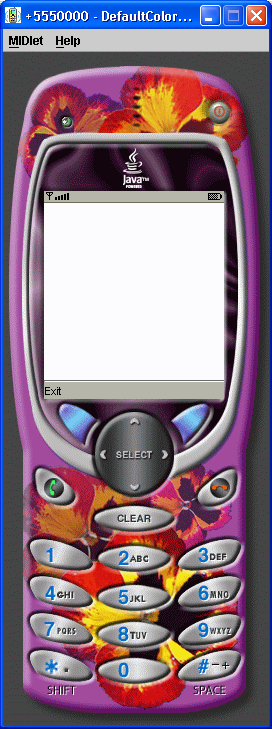
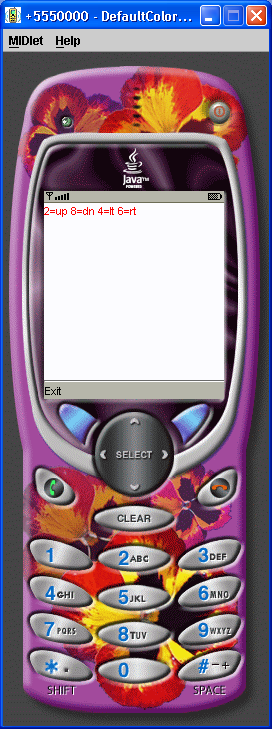
    direction = "2=up 8=dn 4=lt 6=rt";
    this.keyCodeExample = keyCodeExample;
    exit = new Command("Exit", Command.EXIT, 1);
    addCommand(exit);
    setCommandListener(this);
  }
  protected void paint(Graphics graphics)
  {
    graphics.setColor(255,255,255);
    graphics.fillRect(0, 0, getWidth(), getHeight());
    graphics.setColor(255, 0, 0);
    graphics.drawString(direction, 0, 0,
                         Graphics.TOP | Graphics.LEFT);
  }
  public void commandAction(Command command, Displayable displayable)
  {
    if (command == exit)
    {
      keyCodeExample.exitMIDlet();
     }
  }
  protected void keyPressed(int key)
  {
    switch ( key ){
     case KEY_NUM2:
       direction = "up";
       break;
     case KEY_NUM8:
       direction = "down";
       break;
     case KEY_NUM4:
       direction = "left";
       break;
     case KEY_NUM6:
       direction = "right";
       break;
    }
    repaint();
  }
}
Related examples in the same category