Drag and Drop example snippet: define my own data transfer type
/*
 * Drag and Drop example snippet: define my own data transfer type
 *
 * For a list of all SWT example snippets see
 * http://dev.eclipse.org/viewcvs/index.cgi/%7Echeckout%7E/platform-swt-home/dev.html#snippets
 */
import java.io.ByteArrayInputStream;
import java.io.ByteArrayOutputStream;
import java.io.DataInputStream;
import java.io.DataOutputStream;
import java.io.IOException;

import org.eclipse.swt.SWT;
import org.eclipse.swt.dnd.ByteArrayTransfer;
import org.eclipse.swt.dnd.DND;
import org.eclipse.swt.dnd.DragSource;
import org.eclipse.swt.dnd.DragSourceAdapter;
import org.eclipse.swt.dnd.DragSourceEvent;
import org.eclipse.swt.dnd.DropTarget;
import org.eclipse.swt.dnd.DropTargetAdapter;
import org.eclipse.swt.dnd.DropTargetEvent;
import org.eclipse.swt.dnd.Transfer;
import org.eclipse.swt.dnd.TransferData;
import org.eclipse.swt.layout.FillLayout;
import org.eclipse.swt.widgets.Display;
import org.eclipse.swt.widgets.Label;
import org.eclipse.swt.widgets.Shell;

public class Snippet79 {

  /*
   * The data being transferred is an <bold>array of type MyType</bold> where
   * MyType is define as:
   */
  static class MyType {
    String fileName;

    long fileLength;

    long lastModified;
  }

  static class MyTransfer extends ByteArrayTransfer {

    private static final String MYTYPENAME = "name_for_my_type";

    private static final int MYTYPEID = registerType(MYTYPENAME);

    private static MyTransfer _instance = new MyTransfer();

    public static MyTransfer getInstance() {
      return _instance;
    }

    public void javaToNative(Object object, TransferData transferData) {
      if (!checkMyType(object) || !isSupportedType(transferData)) {
        DND.error(DND.ERROR_INVALID_DATA);
      }
      MyType[] myTypes = (MyType[]) object;
      try {
        // write data to a byte array and then ask super to convert to
        // pMedium
        ByteArrayOutputStream out = new ByteArrayOutputStream();
        DataOutputStream writeOut = new DataOutputStream(out);
        for (int i = 0, length = myTypes.length; i < length; i++) {
          byte[] buffer = myTypes[i].fileName.getBytes();
          writeOut.writeInt(buffer.length);
          writeOut.write(buffer);
          writeOut.writeLong(myTypes[i].fileLength);
          writeOut.writeLong(myTypes[i].lastModified);
        }
        byte[] buffer = out.toByteArray();
        writeOut.close();
        super.javaToNative(buffer, transferData);
      } catch (IOException e) {
      }
    }

    public Object nativeToJava(TransferData transferData) {
      if (isSupportedType(transferData)) {
        byte[] buffer = (byte[]) super.nativeToJava(transferData);
        if (buffer == null)
          return null;

        MyType[] myData = new MyType[0];
        try {
          ByteArrayInputStream in = new ByteArrayInputStream(buffer);
          DataInputStream readIn = new DataInputStream(in);
          while (readIn.available() > 20) {
            MyType datum = new MyType();
            int size = readIn.readInt();
            byte[] name = new byte[size];
            readIn.read(name);
            datum.fileName = new String(name);
            datum.fileLength = readIn.readLong();
            datum.lastModified = readIn.readLong();
            MyType[] newMyData = new MyType[myData.length + 1];
            System
                .arraycopy(myData, 0, newMyData, 0,
                    myData.length);
            newMyData[myData.length] = datum;
            myData = newMyData;
          }
          readIn.close();
        } catch (IOException ex) {
          return null;
        }
        return myData;
      }

      return null;
    }

    protected String[] getTypeNames() {
      return new String[] { MYTYPENAME };
    }

    protected int[] getTypeIds() {
      return new int[] { MYTYPEID };
    }

    boolean checkMyType(Object object) {
      if (object == null || !(object instanceof MyType[])
          || ((MyType[]) object).length == 0) {
        return false;
      }
      MyType[] myTypes = (MyType[]) object;
      for (int i = 0; i < myTypes.length; i++) {
        if (myTypes[i] == null || myTypes[i].fileName == null
            || myTypes[i].fileName.length() == 0) {
          return false;
        }
      }
      return true;
    }

    protected boolean validate(Object object) {
      return checkMyType(object);
    }
  }

  public static void main(String[] args) {
    Display display = new Display();
    Shell shell = new Shell(display);
    shell.setLayout(new FillLayout());
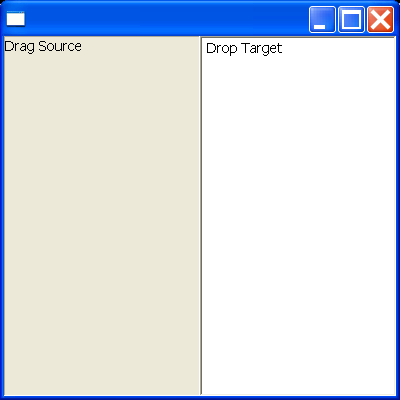
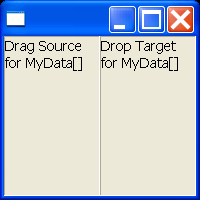
    final Label label1 = new Label(shell, SWT.BORDER | SWT.WRAP);
    label1.setText("Drag Source for MyData[]");
    final Label label2 = new Label(shell, SWT.BORDER | SWT.WRAP);
    label2.setText("Drop Target for MyData[]");

    DragSource source = new DragSource(label1, DND.DROP_COPY);
    source.setTransfer(new Transfer[] { MyTransfer.getInstance() });
    source.addDragListener(new DragSourceAdapter() {
      public void dragSetData(DragSourceEvent event) {
        MyType myType1 = new MyType();
        myType1.fileName = "C:\\abc.txt";
        myType1.fileLength = 1000;
        myType1.lastModified = 12312313;
        MyType myType2 = new MyType();
        myType2.fileName = "C:\\xyz.txt";
        myType2.fileLength = 500;
        myType2.lastModified = 12312323;
        event.data = new MyType[] { myType1, myType2 };
      }
    });
    DropTarget target = new DropTarget(label2, DND.DROP_COPY
        | DND.DROP_DEFAULT);
    target.setTransfer(new Transfer[] { MyTransfer.getInstance() });
    target.addDropListener(new DropTargetAdapter() {
      public void dragEnter(DropTargetEvent event) {
        if (event.detail == DND.DROP_DEFAULT) {
          event.detail = DND.DROP_COPY;
        }
      }

      public void dragOperationChanged(DropTargetEvent event) {
        if (event.detail == DND.DROP_DEFAULT) {
          event.detail = DND.DROP_COPY;
        }
      }

      public void drop(DropTargetEvent event) {
        if (event.data != null) {
          MyType[] myTypes = (MyType[]) event.data;
          if (myTypes != null) {
            String string = "";
            for (int i = 0; i < myTypes.length; i++) {
              string += myTypes[i].fileName + " ";
            }
            label2.setText(string);
          }
        }
      }

    });
    shell.setSize(200, 200);
    shell.open();
    while (!shell.isDisposed()) {
      if (!display.readAndDispatch())
        display.sleep();
    }
    display.dispose();
  }
}
Related examples in the same category