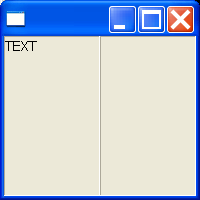
SWT DnD (Drag and drop) Composite
import org.eclipse.swt.SWT;
import org.eclipse.swt.dnd.DND;
import org.eclipse.swt.dnd.DragSource;
import org.eclipse.swt.dnd.DragSourceEvent;
import org.eclipse.swt.dnd.DragSourceListener;
import org.eclipse.swt.dnd.DropTarget;
import org.eclipse.swt.dnd.DropTargetEvent;
import org.eclipse.swt.dnd.DropTargetListener;
import org.eclipse.swt.dnd.TextTransfer;
import org.eclipse.swt.dnd.Transfer;
import org.eclipse.swt.layout.FillLayout;
import org.eclipse.swt.widgets.Composite;
import org.eclipse.swt.widgets.Text;

public class Ch12DnDComposite extends Composite {

  public Ch12DnDComposite(Composite parent) {
    super(parent, SWT.NONE);

    FillLayout layout = new FillLayout();
    setLayout(layout);

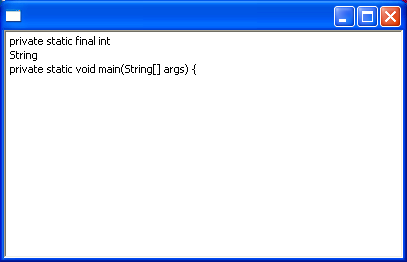
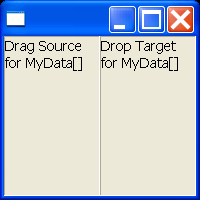
    Text leftText = new Text(this, SWT.MULTI);
    Text rightText = new Text(this, SWT.MULTI);

    createDragSource(leftText);
    createDragSource(rightText);

    createDropTarget(leftText);
    createDropTarget(rightText);
  }

  private void createDropTarget(final Text targetText) {
    Transfer[] types = new Transfer[] { TextTransfer.getInstance() };
    DropTarget dropTarget = new DropTarget(targetText, DND.DROP_COPY);
    dropTarget.setTransfer(types);

    dropTarget.addDropListener(new DropTargetListener() {

      public void dragEnter(DropTargetEvent event) {
      }

      public void dragLeave(DropTargetEvent event) {
      }

      public void dragOperationChanged(DropTargetEvent event) {
      }

      public void dragOver(DropTargetEvent event) {
      }

      public void drop(DropTargetEvent event) {
        String data = (String) event.data;
        targetText.append(data);
      }

      public void dropAccept(DropTargetEvent event) {
      }
    });
  }

  private void createDragSource(final Text sourceText) {
    Transfer[] types = new Transfer[] { TextTransfer.getInstance() };
    DragSource dragSource = new DragSource(sourceText, DND.DROP_COPY);
    dragSource.setTransfer(types);
    dragSource.addDragListener(new DragSourceListener() {

      public void dragStart(DragSourceEvent event) {
        if (sourceText.getSelectionText().length() > 0) {
          event.doit = true;
        }
      }

      public void dragSetData(DragSourceEvent event) {
        event.data = sourceText.getSelection();
      }

      public void dragFinished(DragSourceEvent event) {
        //do nothing
      }
    });
  }
}
Related examples in the same category