Simple DND (Drag and Drop) Example
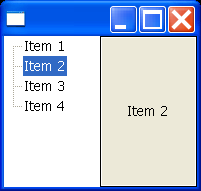
import org.eclipse.swt.SWT;
import org.eclipse.swt.dnd.DND;
import org.eclipse.swt.dnd.DragSource;
import org.eclipse.swt.dnd.DragSourceAdapter;
import org.eclipse.swt.dnd.DragSourceEvent;
import org.eclipse.swt.dnd.DropTarget;
import org.eclipse.swt.dnd.DropTargetAdapter;
import org.eclipse.swt.dnd.DropTargetEvent;
import org.eclipse.swt.dnd.TextTransfer;
import org.eclipse.swt.dnd.Transfer;
import org.eclipse.swt.layout.FillLayout;
import org.eclipse.swt.widgets.Button;
import org.eclipse.swt.widgets.Display;
import org.eclipse.swt.widgets.Shell;
import org.eclipse.swt.widgets.Tree;
import org.eclipse.swt.widgets.TreeItem;

public class SimpleDNDExample {

  public static void main(String[] args) {
    Shell shell = new Shell();
    shell.setLayout(new FillLayout());

    // Create the tree and some tree items
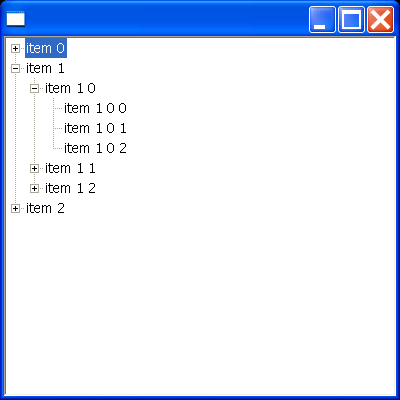
    final Tree tree = new Tree(shell, SWT.NONE);
    TreeItem item1 = new TreeItem(tree, SWT.NONE);
    item1.setText("Item 1");
    TreeItem item2 = new TreeItem(tree, SWT.NONE);
    item2.setText("Item 2");
    TreeItem item3 = new TreeItem(tree, SWT.NONE);
    item3.setText("Item 3");
    TreeItem item4 = new TreeItem(tree, SWT.NONE);
    item4.setText("Item 4");

    // Create the drag source on the tree
    DragSource ds = new DragSource(tree, DND.DROP_MOVE);
    ds.setTransfer(new Transfer[] { TextTransfer.getInstance() });
    ds.addDragListener(new DragSourceAdapter() {
      public void dragSetData(DragSourceEvent event) {
        // Set the data to be the first selected item's text
        event.data = tree.getSelection()[0].getText();
      }
    });

    // Create the button
    final Button button = new Button(shell, SWT.FLAT);
    button.setText("Button");
    button.setAlignment(SWT.CENTER);

    // Create the drop target on the button
    DropTarget dt = new DropTarget(button, DND.DROP_MOVE);
    dt.setTransfer(new Transfer[] { TextTransfer.getInstance() });
    dt.addDropListener(new DropTargetAdapter() {
      public void drop(DropTargetEvent event) {
        // Set the buttons text to be the text being dropped
        button.setText((String) event.data);
      }
    });

    shell.pack();
    shell.open();
    Display display = Display.getDefault();
    while (!shell.isDisposed())
      if (!display.readAndDispatch())
        display.sleep();
    display.dispose();
  }

}
Related examples in the same category