using System;
using System.Drawing;
using System.Collections;
using System.ComponentModel;
using System.Windows.Forms;
using System.Data;

public class ListBoxItemAdd : System.Windows.Forms.Form
{
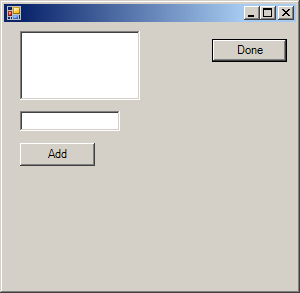
  private System.Windows.Forms.Button button1;
  private System.Windows.Forms.TextBox textBox1;
  private System.Windows.Forms.ListBox listBox1;

  private System.ComponentModel.Container components = null;

  public ListBoxItemAdd()
  {
    InitializeComponent();

  }

  protected override void Dispose( bool disposing )
  {
    if( disposing )
    {
      if (components != null)
      {
        components.Dispose();
      }
    }
    base.Dispose( disposing );
  }

  private void InitializeComponent()
  {
    this.button1 = new System.Windows.Forms.Button();
    this.textBox1 = new System.Windows.Forms.TextBox();
    this.listBox1 = new System.Windows.Forms.ListBox();
    this.SuspendLayout();

    this.button1.Font = new System.Drawing.Font("Verdana", 8.25F, System.Drawing.FontStyle.Bold, System.Drawing.GraphicsUnit.Point, ((System.Byte)(0)));
    this.button1.Location = new System.Drawing.Point(16, 16);
    this.button1.Name = "button1";
    this.button1.Size = new System.Drawing.Size(80, 32);
    this.button1.TabIndex = 0;
    this.button1.Text = "Add";
    this.button1.Click += new System.EventHandler(this.button1_Click);
    //
    // textBox1
    //
    this.textBox1.AutoSize = false;
    this.textBox1.Location = new System.Drawing.Point(112, 16);
    this.textBox1.Name = "textBox1";
    this.textBox1.Size = new System.Drawing.Size(168, 32);
    this.textBox1.TabIndex = 1;
    this.textBox1.Text = "textBox1";
    //
    // listBox1
    //
    this.listBox1.BackColor = System.Drawing.Color.Red;
    this.listBox1.ForeColor = System.Drawing.SystemColors.HighlightText;
    this.listBox1.Location = new System.Drawing.Point(8, 64);
    this.listBox1.Name = "listBox1";
    this.listBox1.Size = new System.Drawing.Size(272, 238);
    this.listBox1.TabIndex = 2;
    //
    // ListBoxItemAdd
    //
    this.AutoScaleBaseSize = new System.Drawing.Size(5, 13);
    this.ClientSize = new System.Drawing.Size(328, 318);
    this.Controls.AddRange(new System.Windows.Forms.Control[] {
                                    this.listBox1,
                                    this.textBox1,
                                    this.button1});
    this.Name = "ListBoxItemAdd";
    this.Text = "ListBoxItemAdd";
    this.ResumeLayout(false);

  }

  [STAThread]
  static void Main()
  {
    Application.Run(new ListBoxItemAdd());
  }

  private void button1_Click(object sender, System.EventArgs e)
  {
    listBox1.Items.Add(textBox1.Text);
  }
}