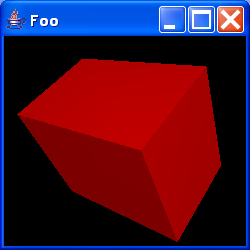
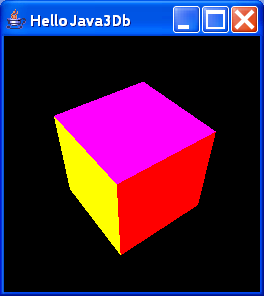
Simple Rotation
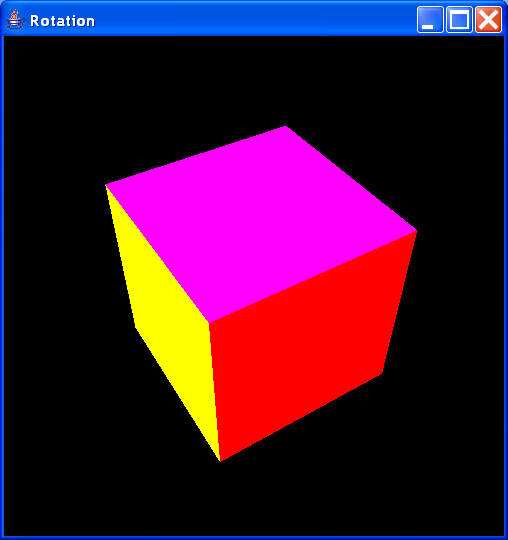
// From: http://www.micg.et.fh-stralsund.de/Java3D/java3D.htm#Bild1


import java.applet.Applet;
import java.awt.BorderLayout;
import java.awt.Frame;
import java.awt.GraphicsConfiguration;

import javax.media.j3d.Alpha;
import javax.media.j3d.BoundingSphere;
import javax.media.j3d.BranchGroup;
import javax.media.j3d.Canvas3D;
import javax.media.j3d.RotationInterpolator;
import javax.media.j3d.Transform3D;
import javax.media.j3d.TransformGroup;

import com.sun.j3d.utils.applet.MainFrame;
import com.sun.j3d.utils.geometry.ColorCube;
import com.sun.j3d.utils.universe.SimpleUniverse;

public class Rotation extends Applet {

  public Rotation() {
  }

  public void init() {
    setLayout(new BorderLayout());
    GraphicsConfiguration config = SimpleUniverse
        .getPreferredConfiguration();
    canvas3D = new Canvas3D(config);
    add("Center", canvas3D);
    BranchGroup szene = macheSzene();
    szene.compile();
    universe = new SimpleUniverse(canvas3D);
    universe.getViewingPlatform().setNominalViewingTransform();
    universe.addBranchGraph(szene);
  }

  /**
   * Erstellt den Szenegraphen
   *
   * @return BranchGroup
   */
  public BranchGroup macheSzene() {
    BranchGroup objWurzel = new BranchGroup();
    // Transformation, 2 Rotationen:
    Transform3D drehung = new Transform3D();
    Transform3D drehung2 = new Transform3D();
    drehung.rotX(Math.PI / 4.0d);
    drehung2.rotY(Math.PI / 5.0d);
    drehung.mul(drehung2);
    TransformGroup objDreh = new TransformGroup(drehung);
    TransformGroup spin = new TransformGroup();
    spin.setCapability(TransformGroup.ALLOW_TRANSFORM_WRITE);
    spin.addChild(new ColorCube(0.4));
    objDreh.addChild(spin);
    objWurzel.addChild(objDreh);

    // Drehung
    Alpha spinAlpha = new Alpha(-1, 5000);
    RotationInterpolator dreher = new RotationInterpolator(spinAlpha, spin);
    BoundingSphere zone = new BoundingSphere();
    dreher.setSchedulingBounds(zone);
    spin.addChild(dreher);

    return objWurzel;
  }

  /**
   * gibt speicher frei
   */
  public void destroy() {
    universe.removeAllLocales();
  }

  public static void main(String[] args) {
    frame = new MainFrame(new Rotation(), 500, 500);
    frame.setTitle("Rotation");
  }

  //---- Attribute -----------------------
  private SimpleUniverse universe;

  private Canvas3D canvas3D;

  private static Frame frame;
}
Related examples in the same category